spearheaded the design of BeVigil, website for app security
spearheaded the design of BeVigil, website for app security
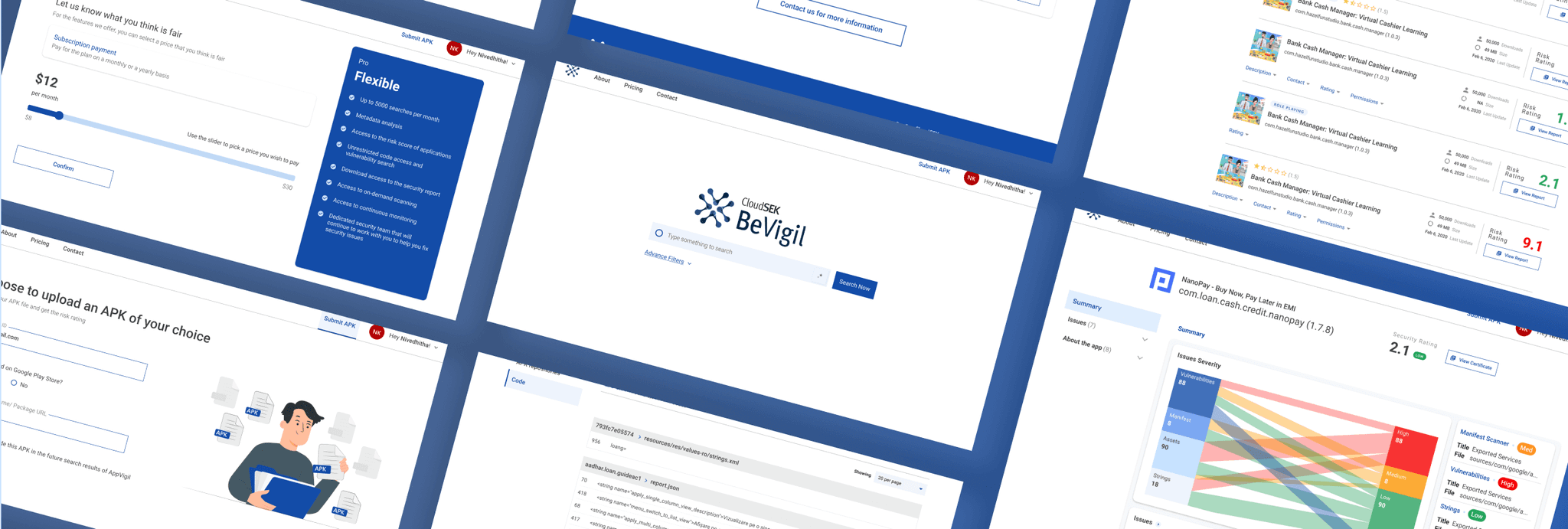
Challenge
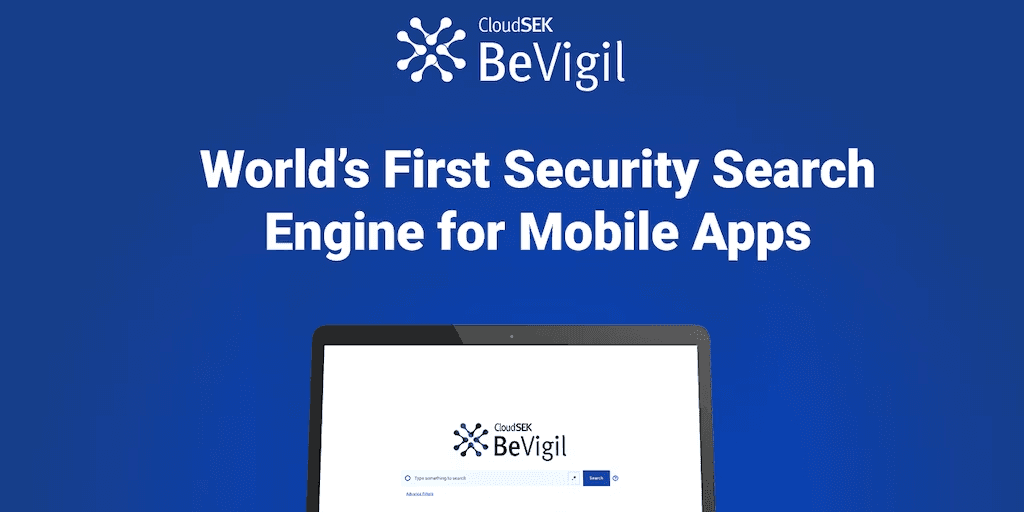
In addition to XVigil, CloudSEK initiated the development of a new product, BeVigil, for app security. The company built a new technology that evaluates the security of apps available on the AppStore and Google Play and reports its security posture for users. The product concept is for users who are looking to assess apps’ risk and understand vulnerabilities.
The goal of this project was to build a new website that seamlessly combines user needs and technology. The product is currently live to see.
My responsibilities
As the lead designer, I assisted the Product Manager to conduct research and analyze the data to gain insights on product desirability. Further, I established the user flow, sitemap and created wireframes to define pages and structure. Lastly, I created an interactive prototype of the entire website for stakeholders to explore and provide comments prior to development. Following the release of the MVP, I created more features to meet user needs.
Outcome
A website design that is easy to use, information and visually appealing.
Timeline
December 2020 | 4 months
My role
Researcher, UX/UI Designer
(sole designer)
Contributors
Infrastructure team - PMs, Security Researchers, CEO, Developers, Sales team.
Tools
Figma, Miro, Google Form.
Industry partners
CloudSEK, India
Live site
Research and Analysis
I collaborated with Product Manager to curate survey questions that was later sent out to the company’s community. The survey’s goal was to identify the desirability of the technology, market size and user demographics and behaviors. I conducted an analysis of the results by establishing multiple insights with 4 main ones listed below.
We found a positive reaction to deploying a website where users can take a proactive approach to knowing about app vulnerabilities and risks. Although it was still a hypothesis on whether users would actually use the website.
We also established our user persona of targeting
Security risk-averse audience who do not want apps that are potential threats and
Enthusiastic security researchers who upload more data on the website.
Learning 1
82% of people do not have any cybersecurity software on their phone.
Learning 2
78% of users have a platform that takes on a reactive approach to cybersecurity, ex: Anti- virus softwares.
Learning 3
73% of people immediately delete their app if they are alerted a security issue.
Learning 4
51.5% of the public were open to trying a new application for app security.

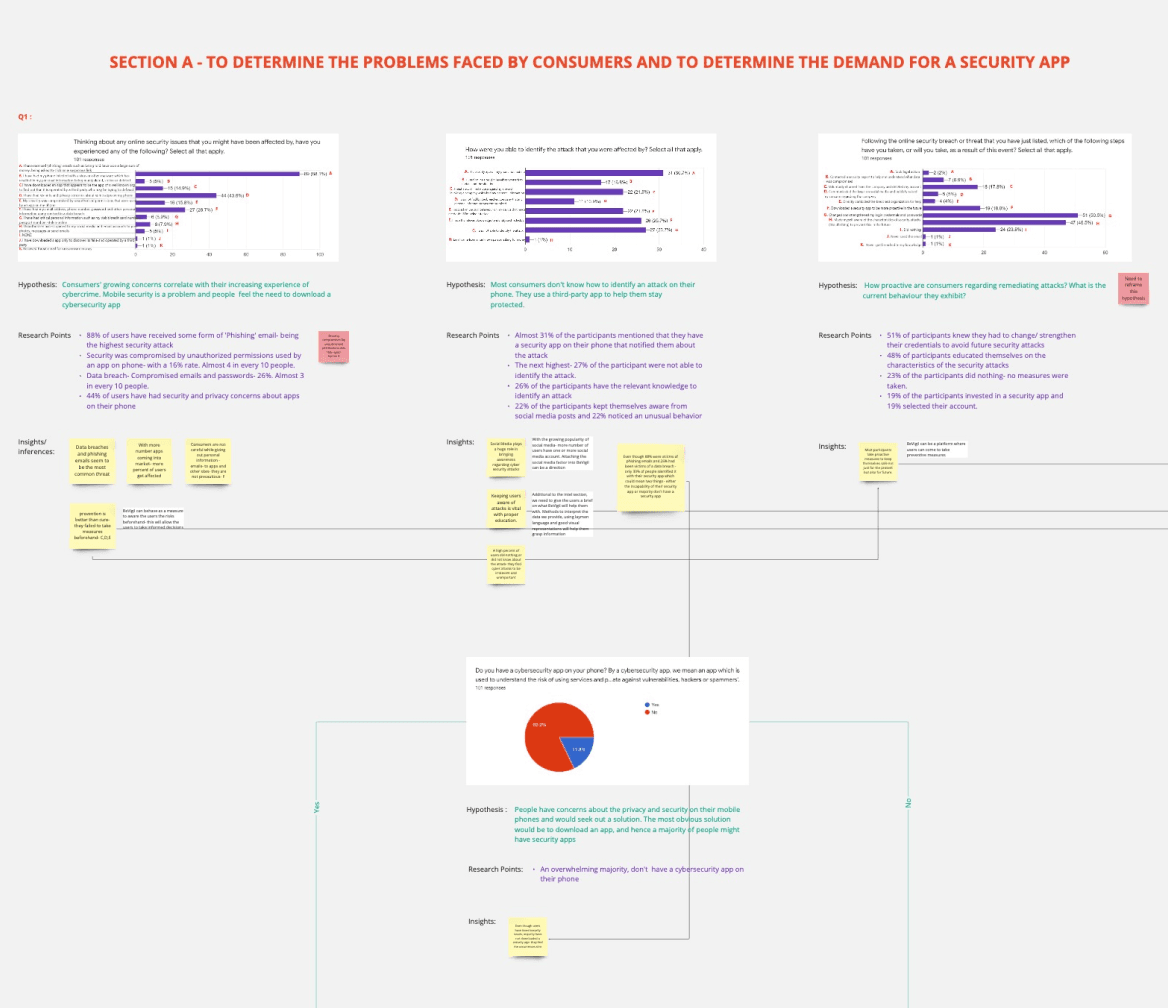
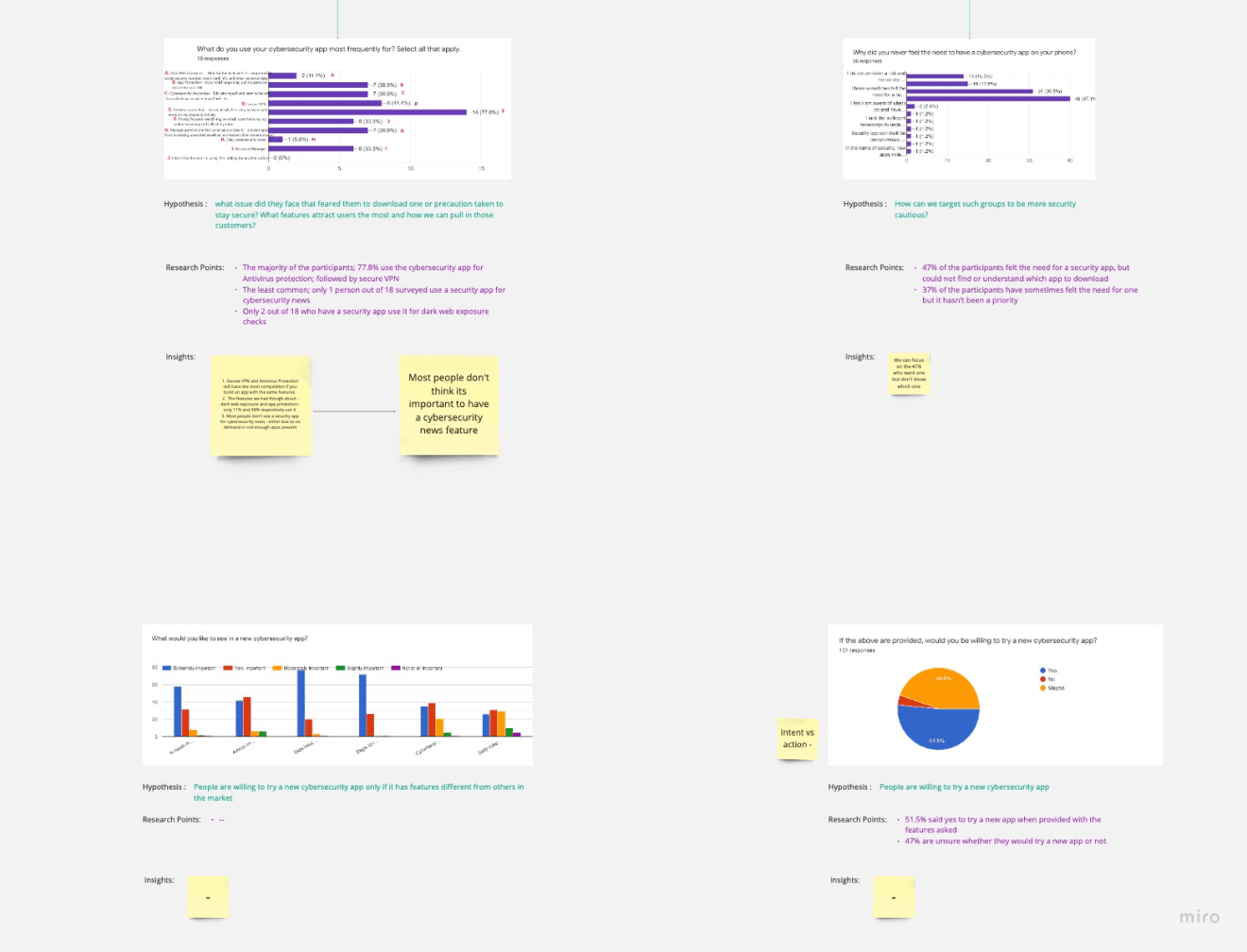
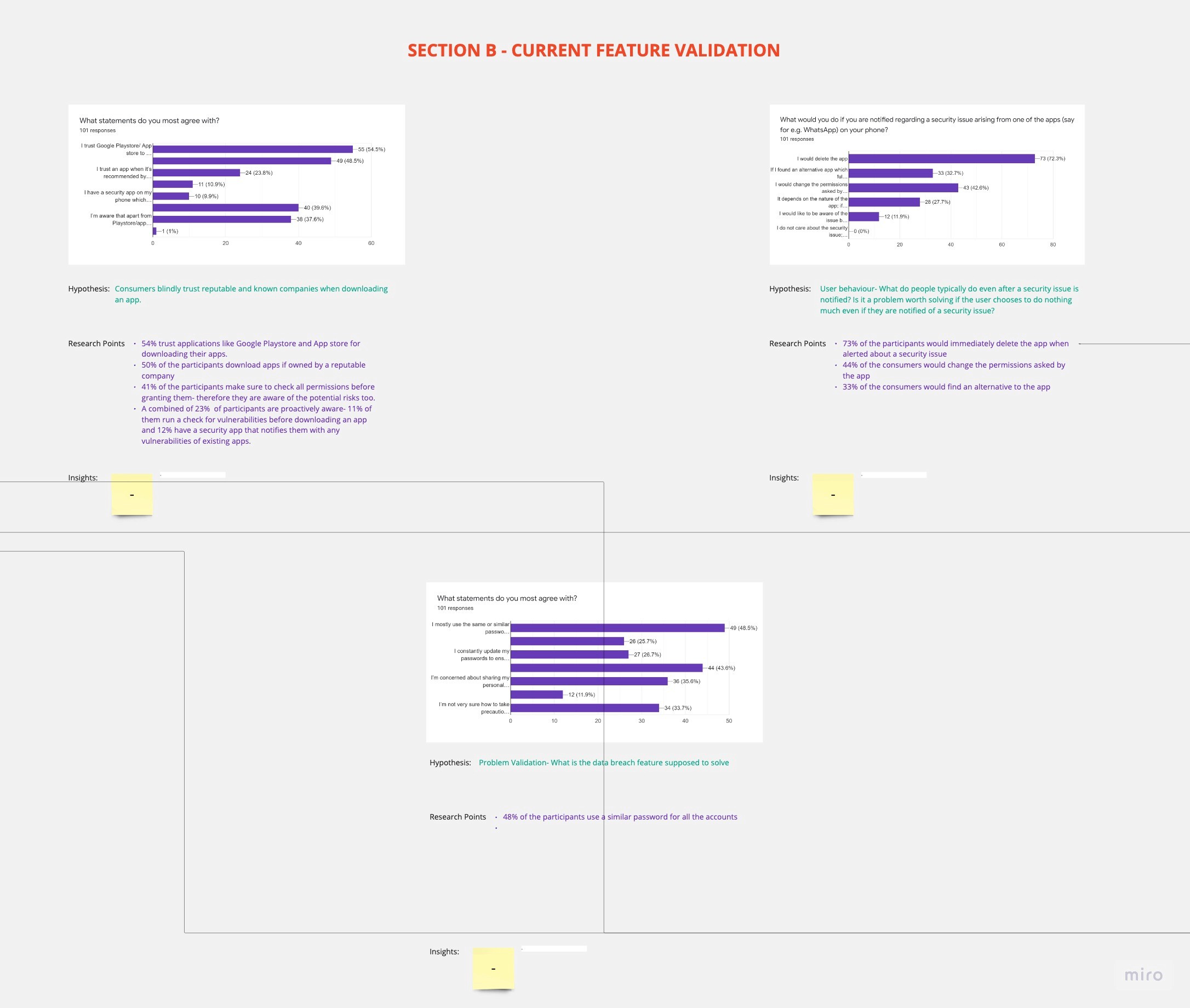
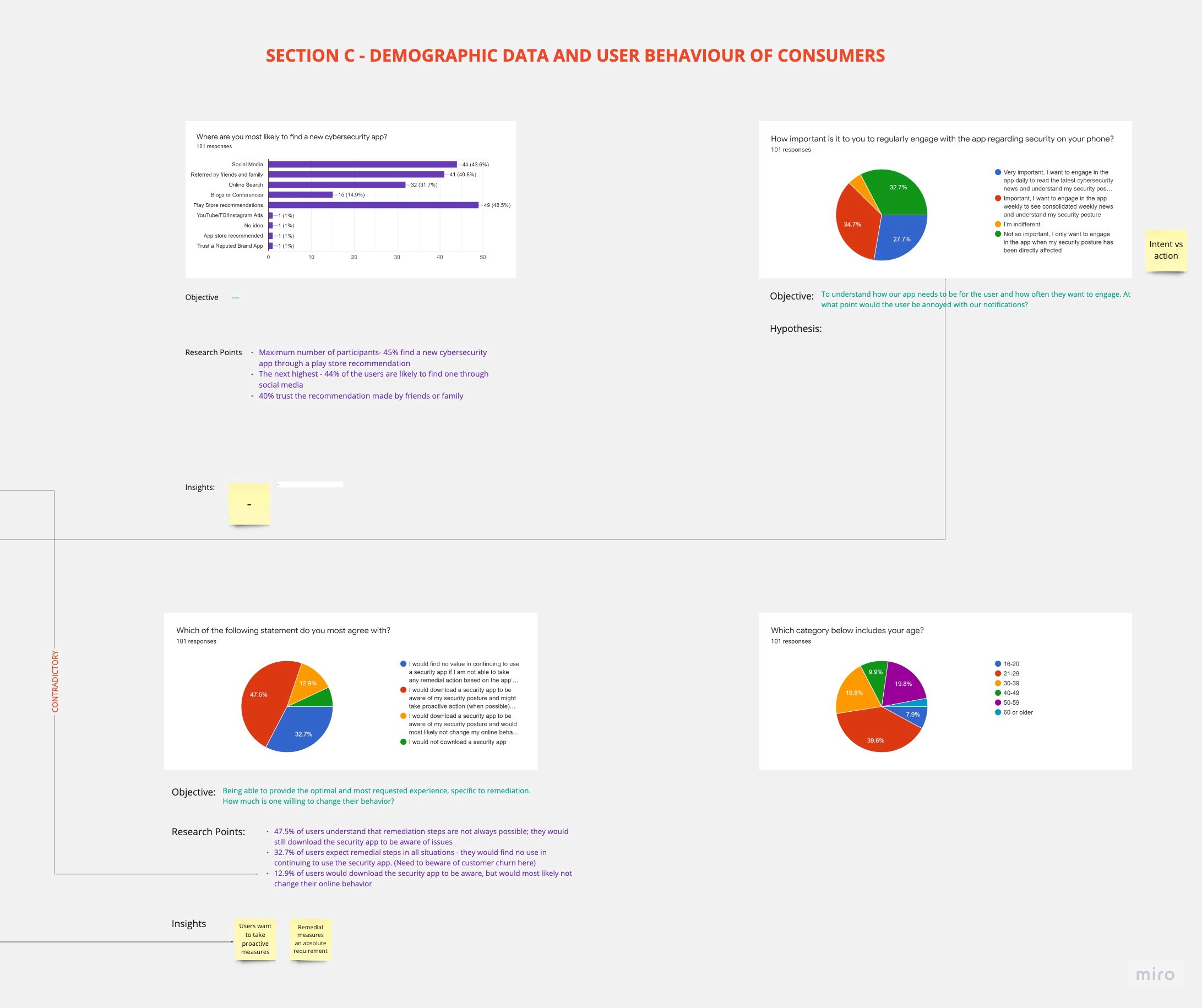
Survey results collaboratively analyzed in Miro.
Sitemap and Userflow
After doing comprehensive research I developed iterative sitemaps that served as a guide for the website build. By defining the site structure, taxonomy and distinct page templates, it enabled modularity and structural flexibility, from wireframes to launch.
In addition, I created a user flow that depicts the user's trip and the website's navigational characteristics. Since this is intended to be a minimal viable product, a simple flow serves as a hypothesis for iterating and developing additional interfaces.

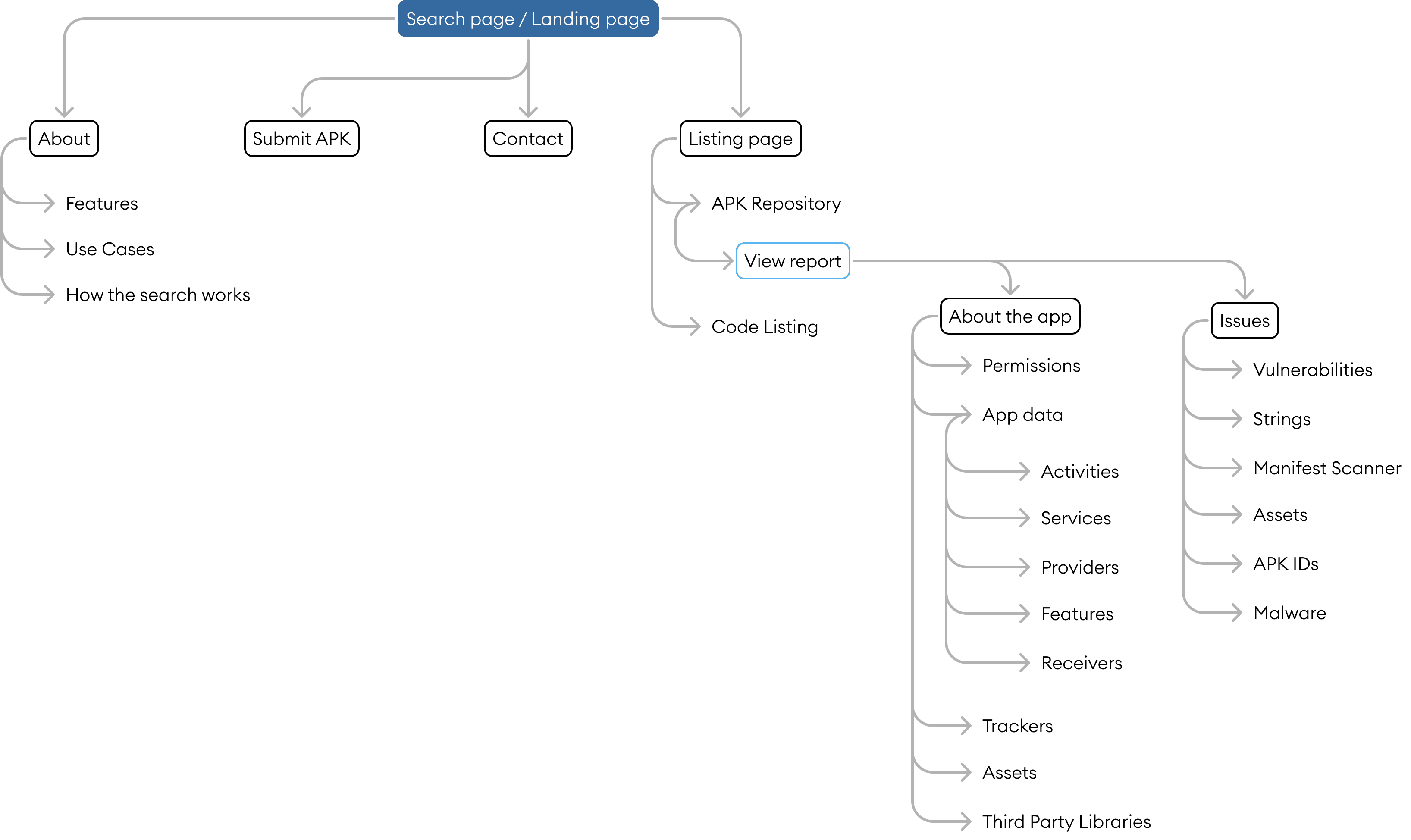
Sitemap

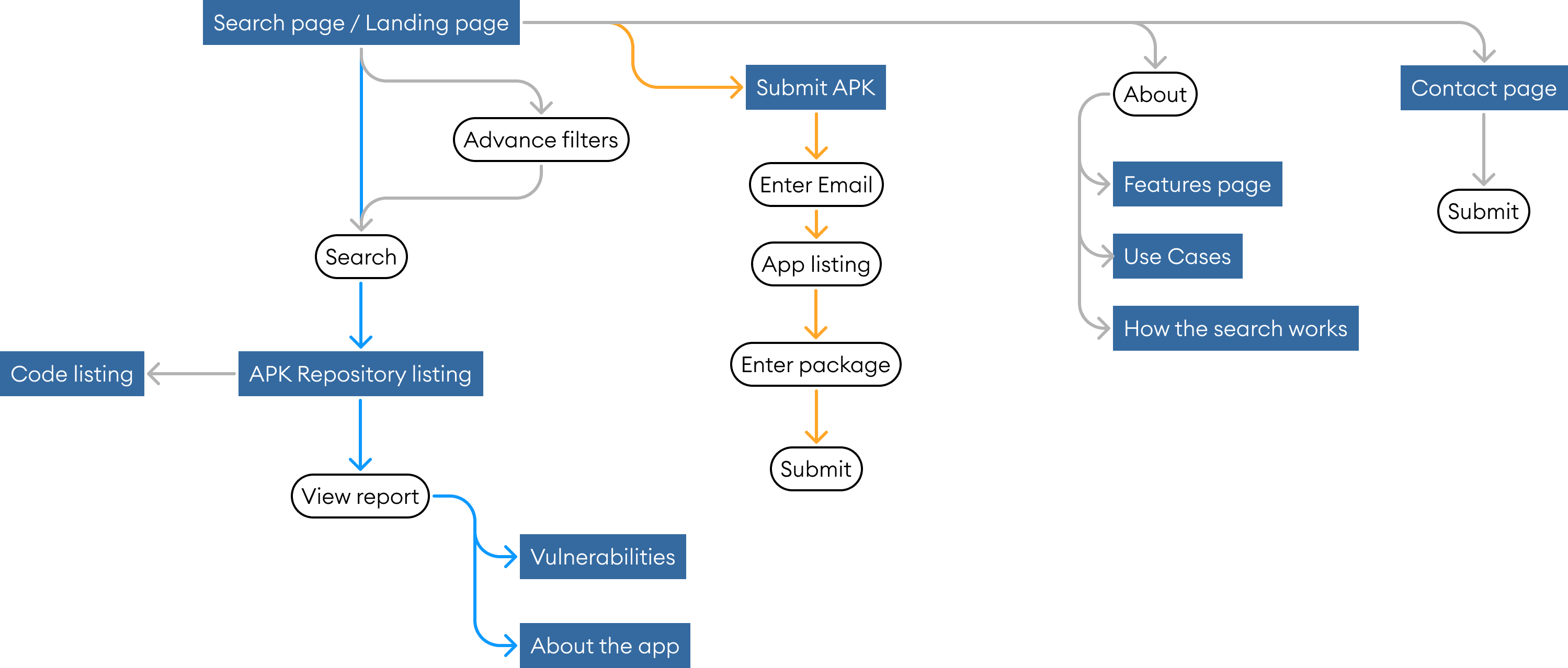
Userflow
Wireframing
Digitized med-fidelity prototypes on Figma to structure pages, create templates, page flow and content hierarchy. These were used to communicate with the engineering team to gather feedback and edit features.
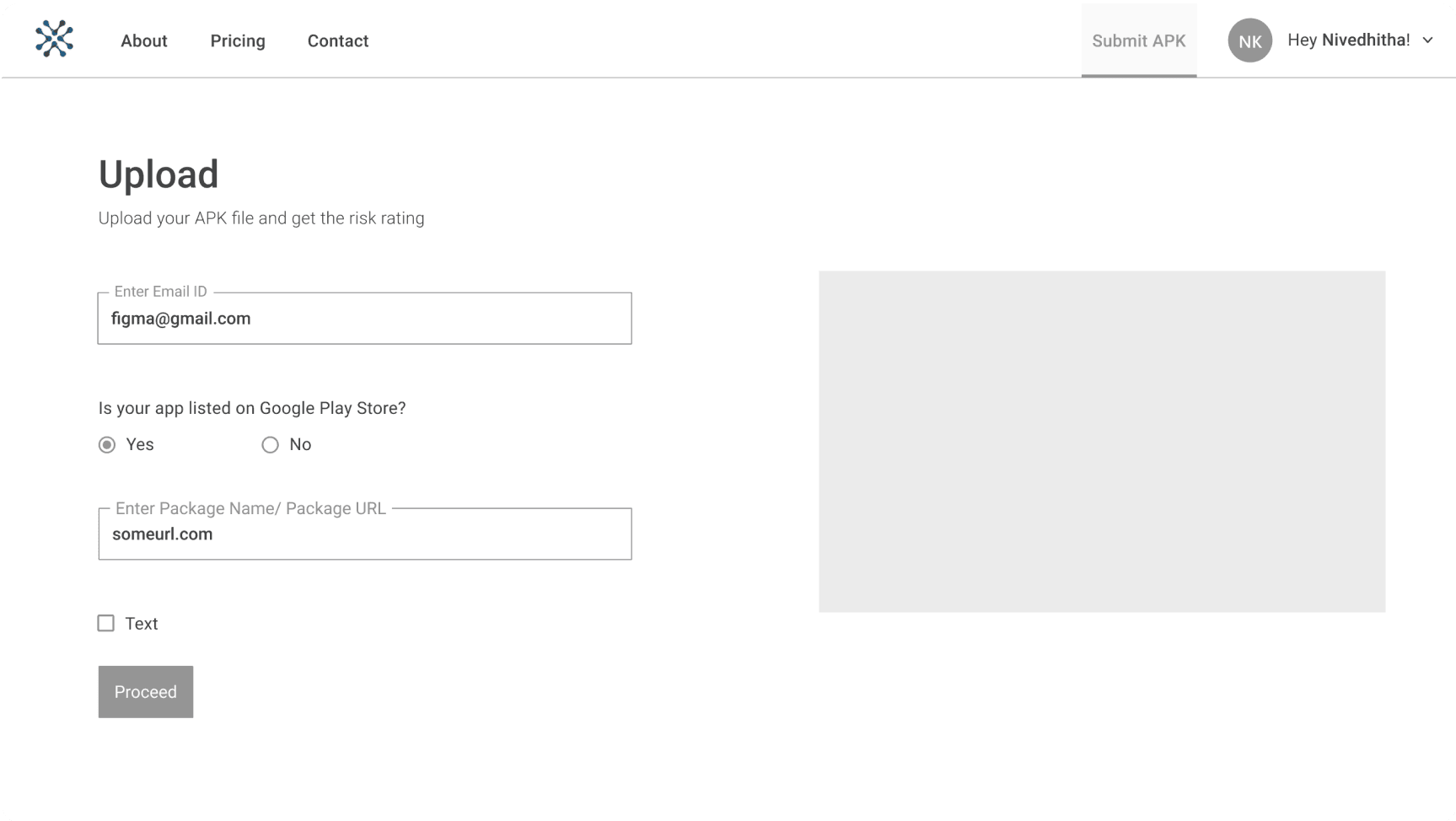
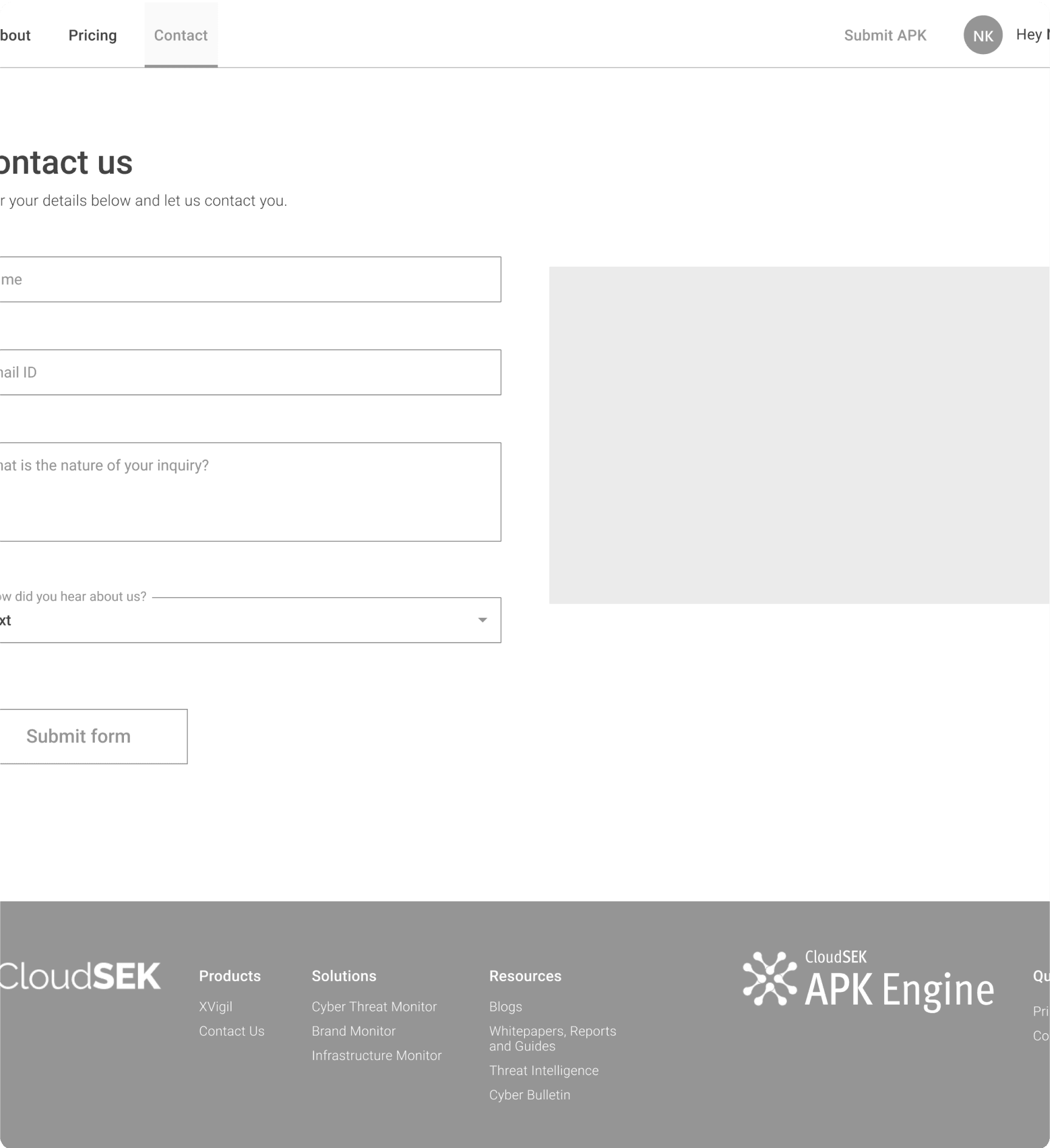
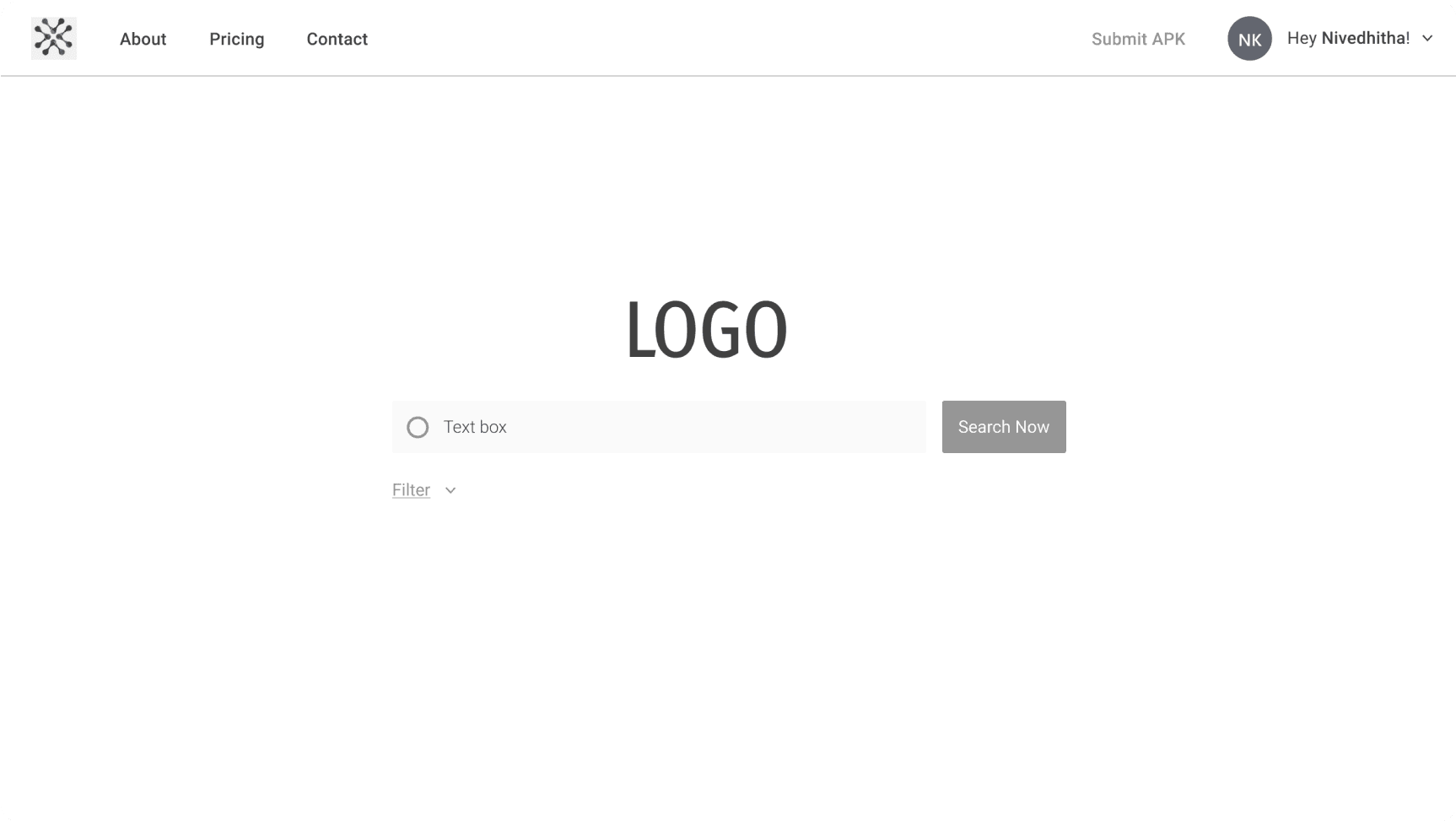
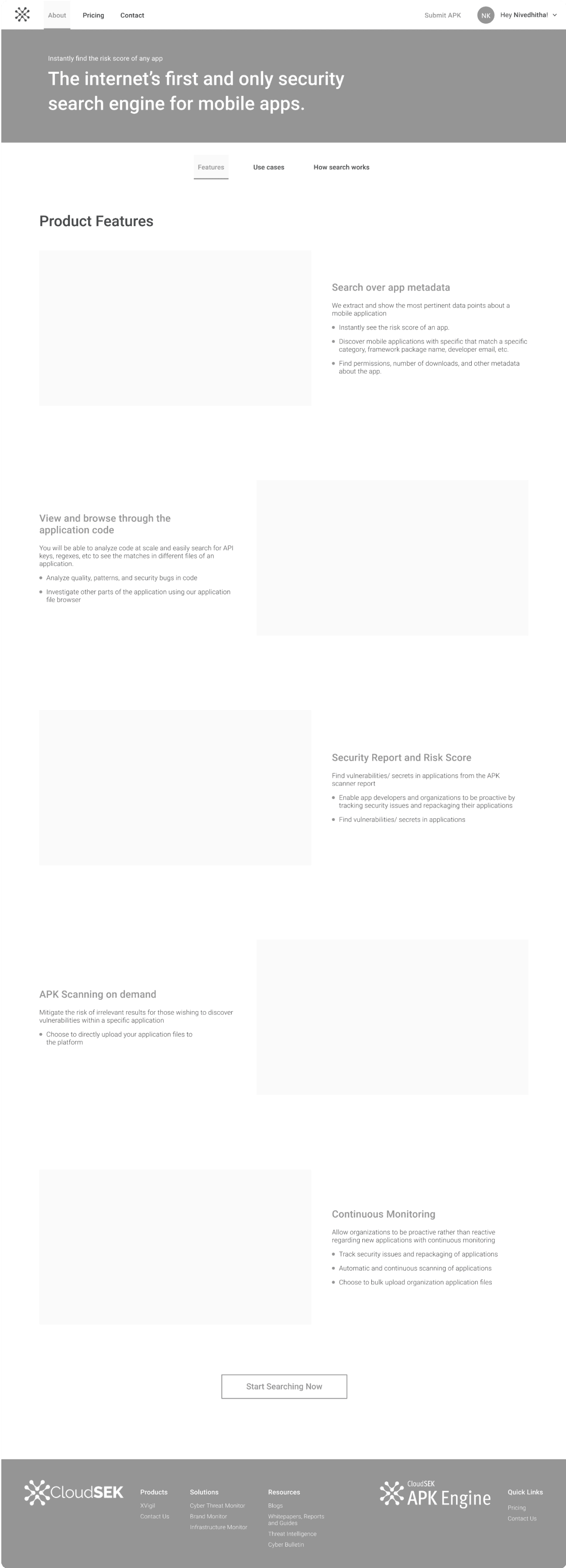
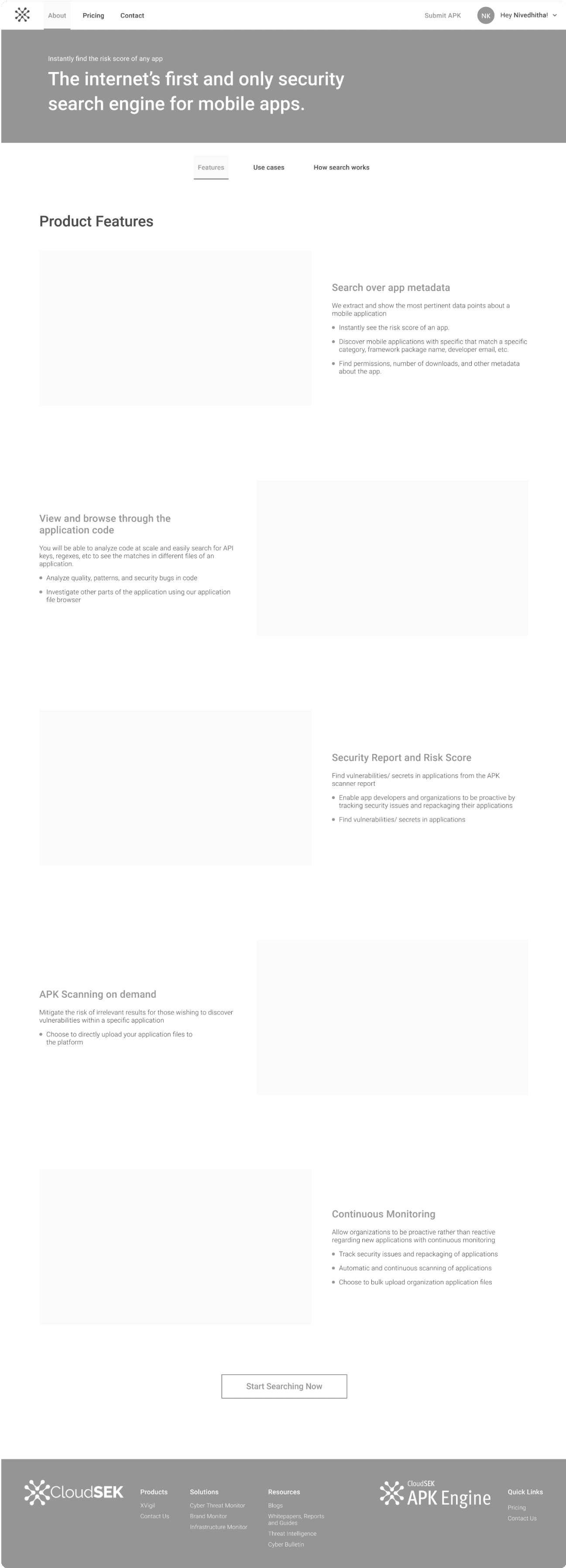
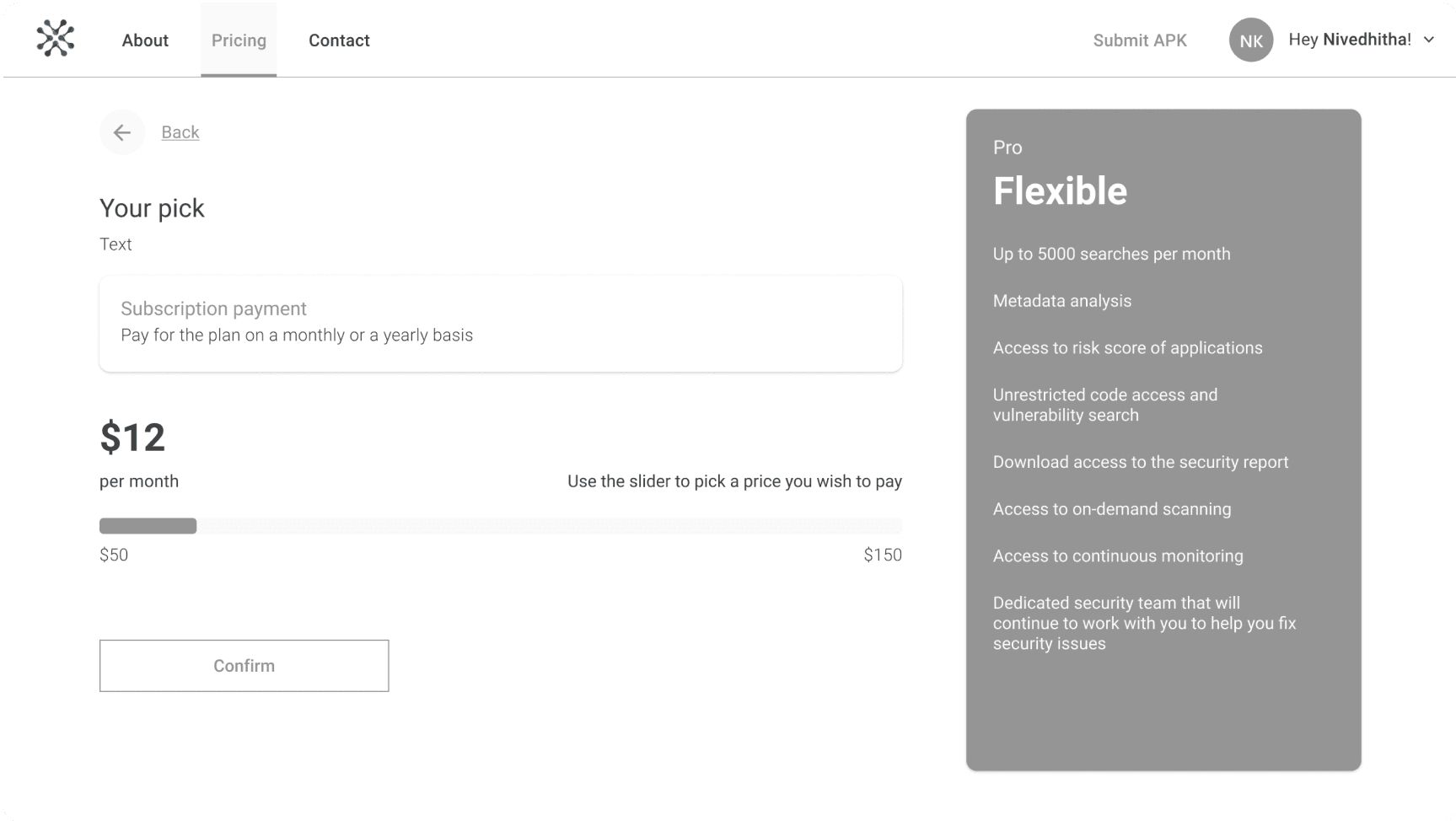
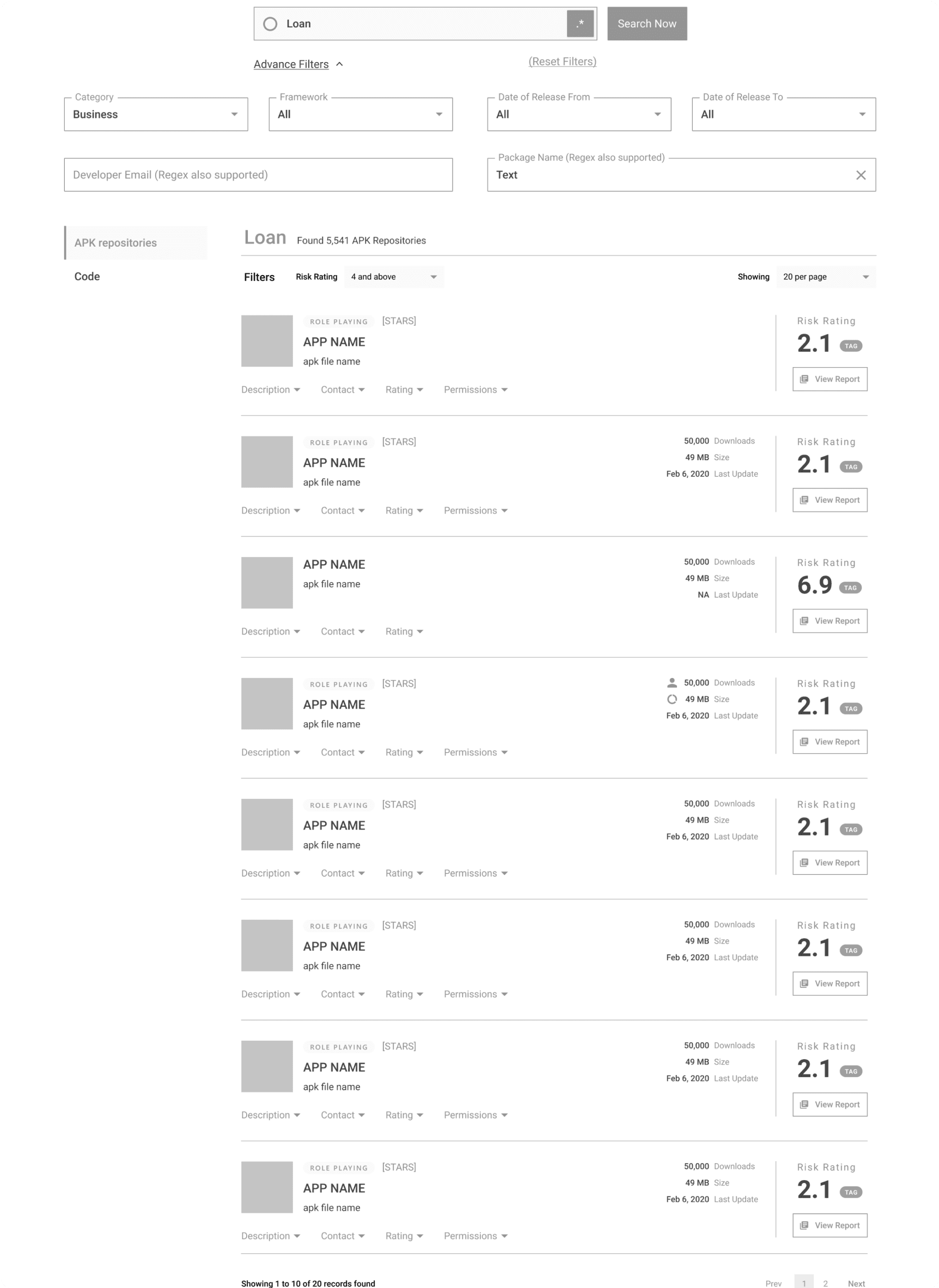
Making digital wireframes as artifacts for communication and sharing ideas with stakeholders.
Style Guide
Since this website is separate from the main product, it was required to align (brand language such as colors, fonts) yet stay different and unique for this design. For this purpose, I roughly established designs of different components and illustration style for the interfaces.
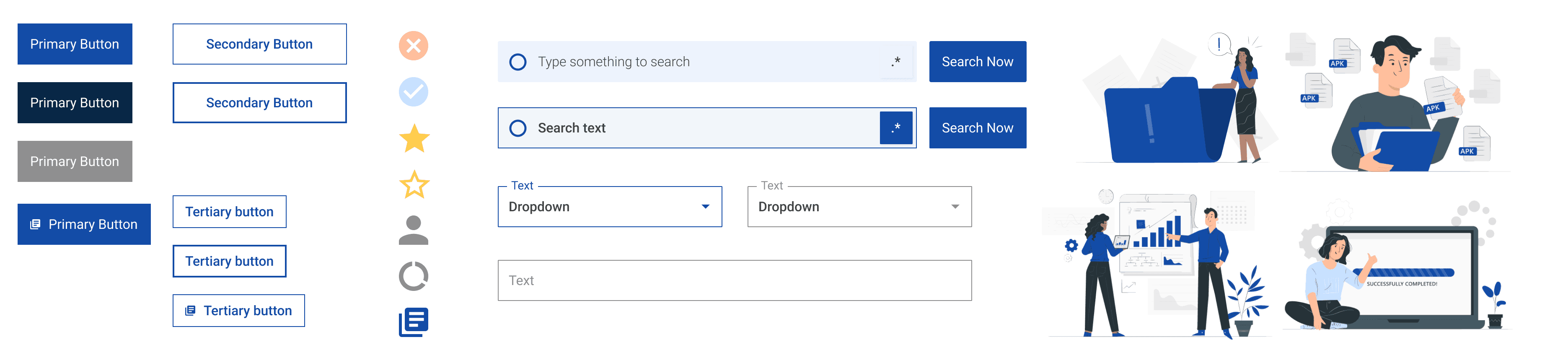
Component design, illustrations and iconography
Prototyping
All the interfaces were connected to form an interactive prototype that allowed key stakeholders to interact and provide feedback. From a researcher perspective, it was interesting to see what people’s expectations were and if the prototype fulfilled them.
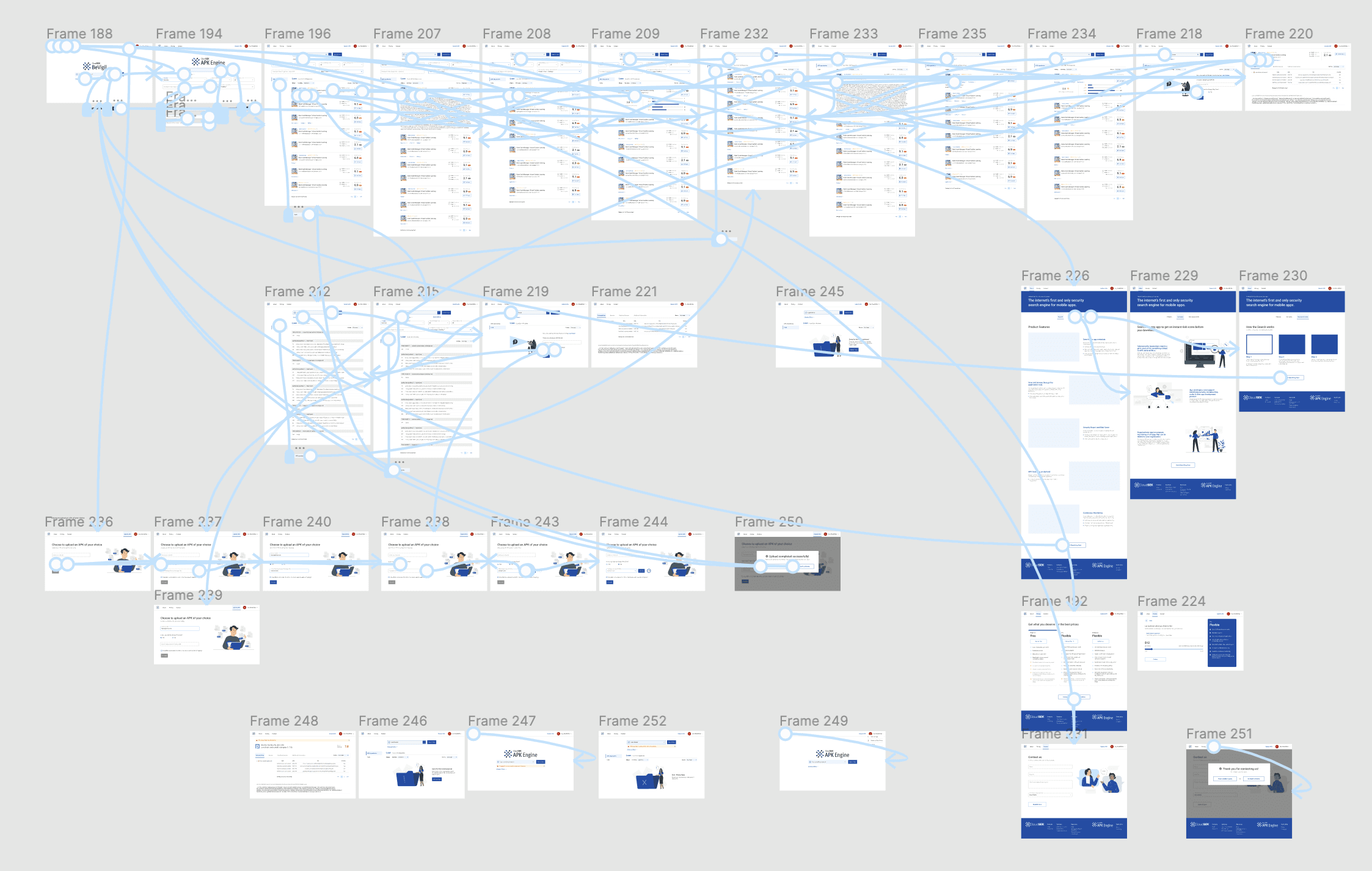
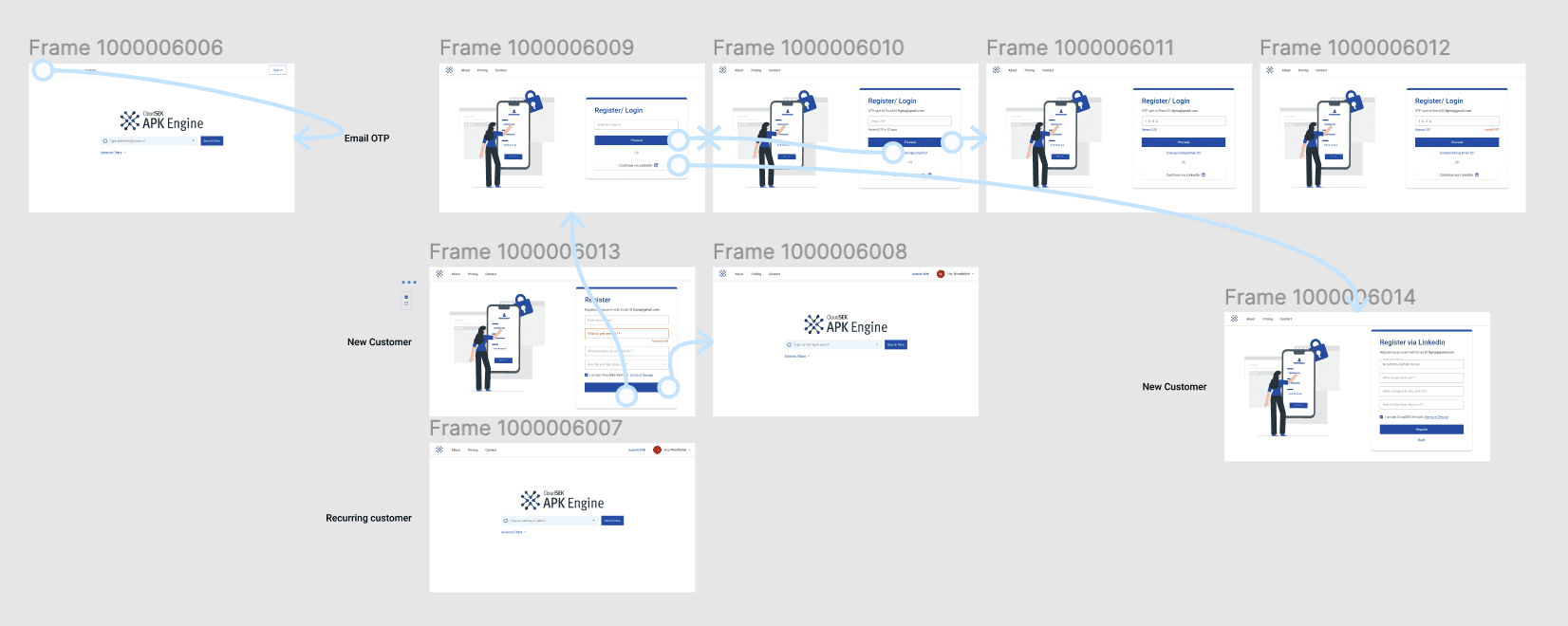
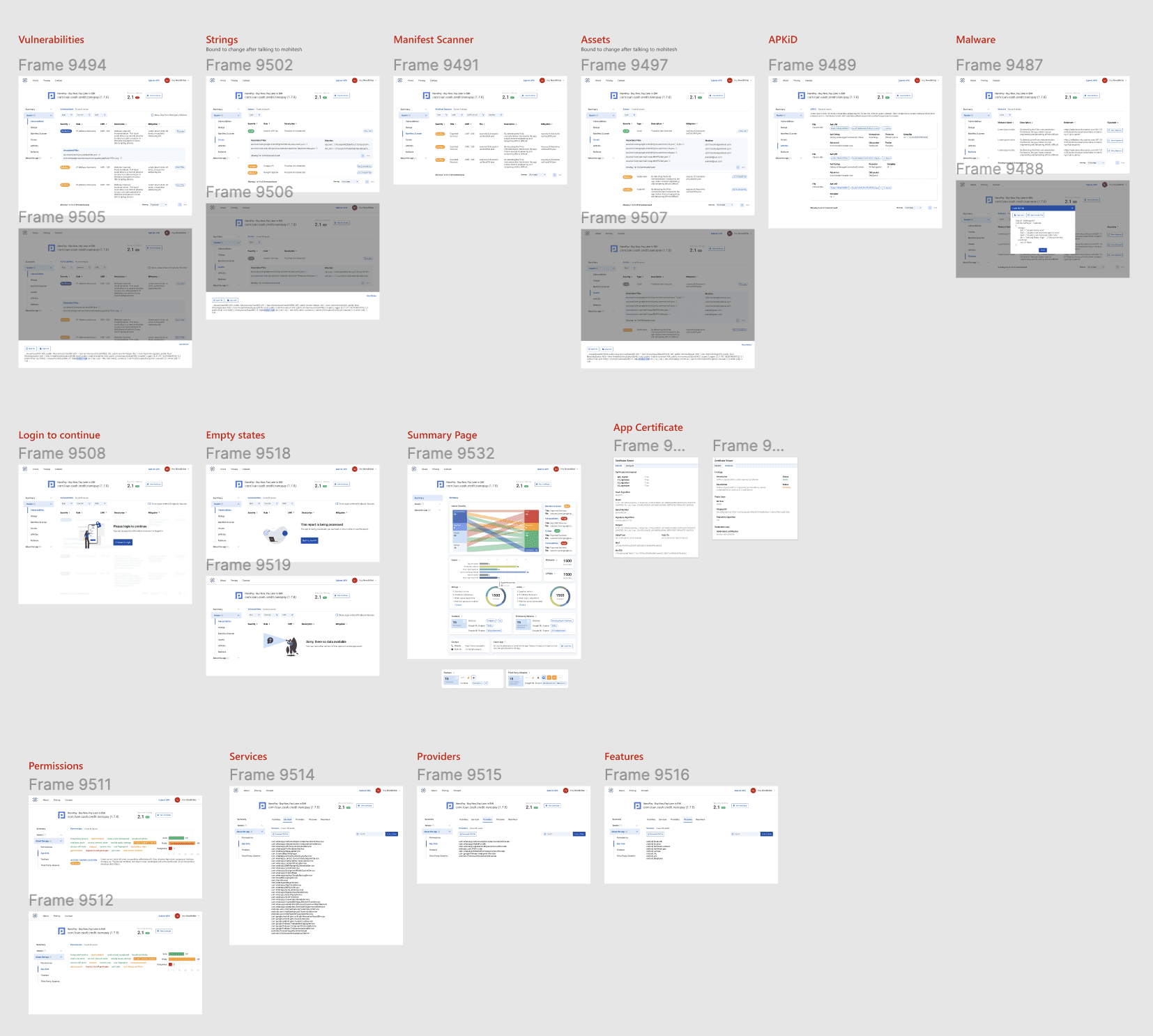
Prototyping the interfaces
MVP Release and Iteration
After reviewing the development to verify design quality, we released the MVP, along with articles discussing the necessity of app security. We witnessed a large number of users uploading APK files of apps to obtain information on their vulnerabilities. This, combined with user feedback on new features, confirmed the product desirability hypotheses.
This led to the addition of new features such as payment plans (to determine how much consumers would likely spend for the product) and an app dashboard that provides an overview of security concerns. We created an appropriate user flow that included search limits, login to submit, and tracking of APK uploads. Further, we designed and developed the product in Dark Mode.

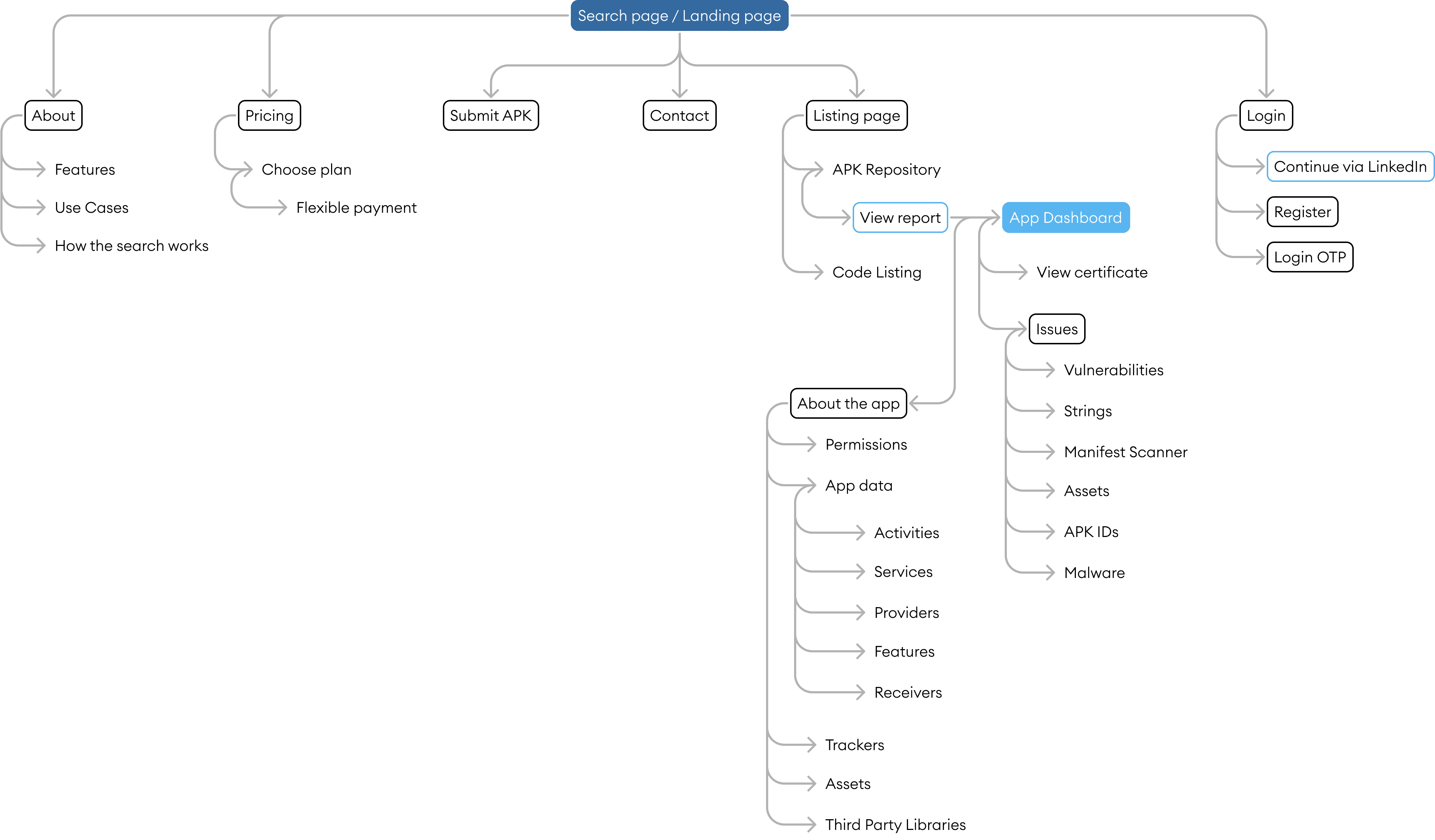
Sitemap

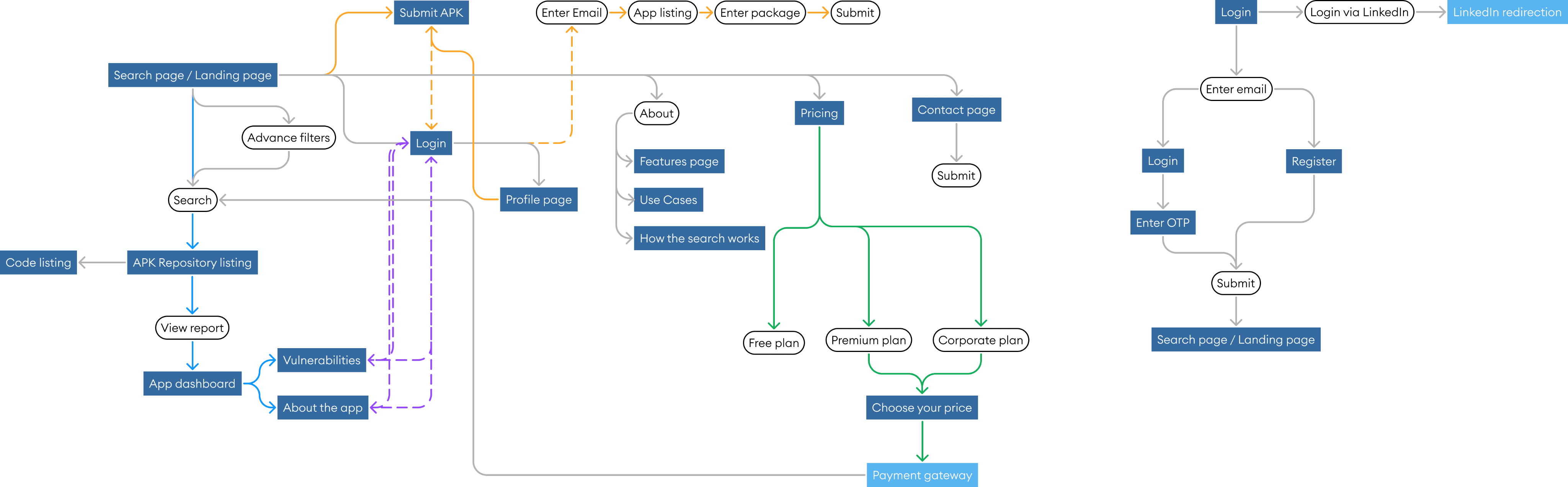
Userflow
Final Design
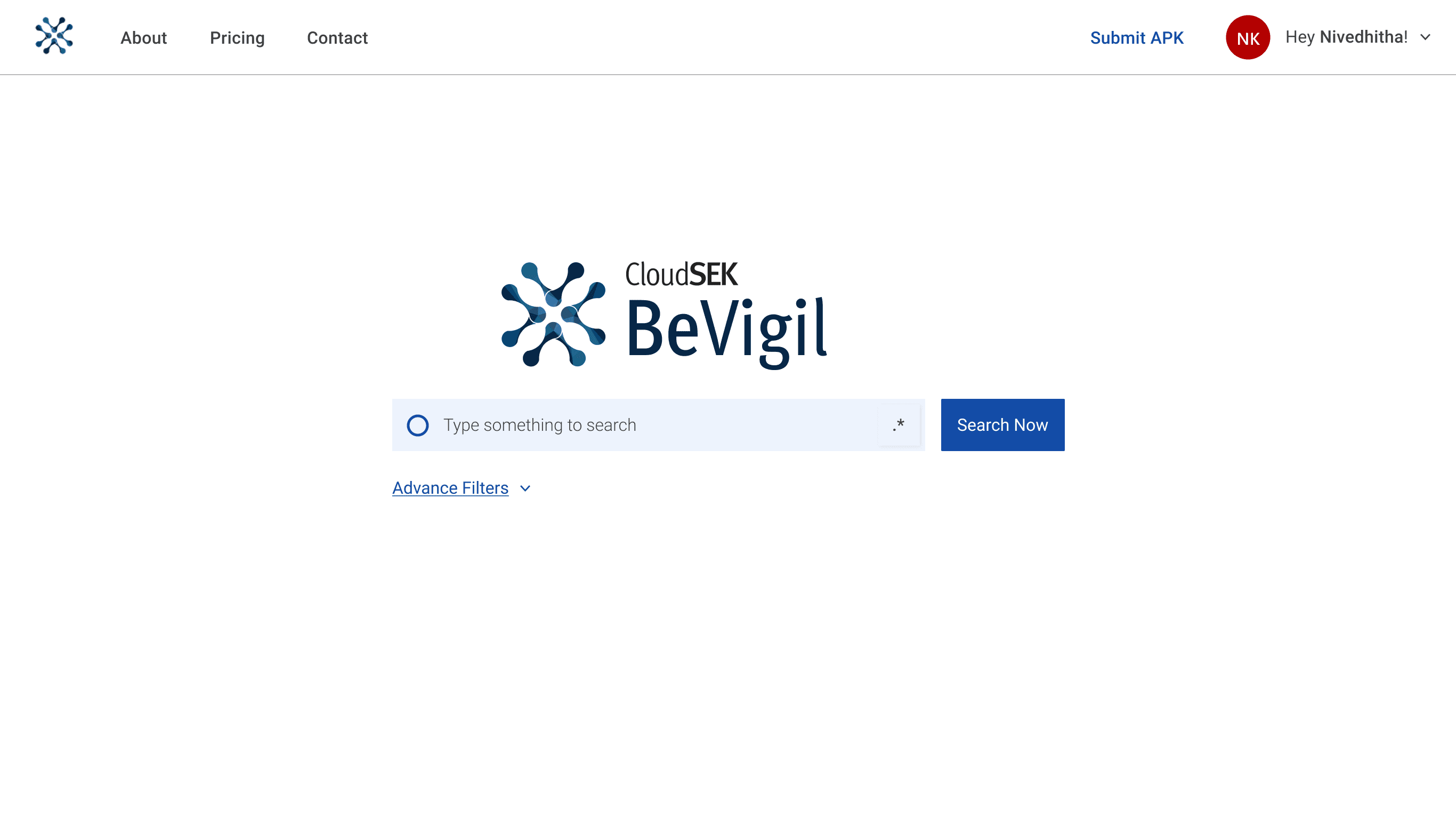
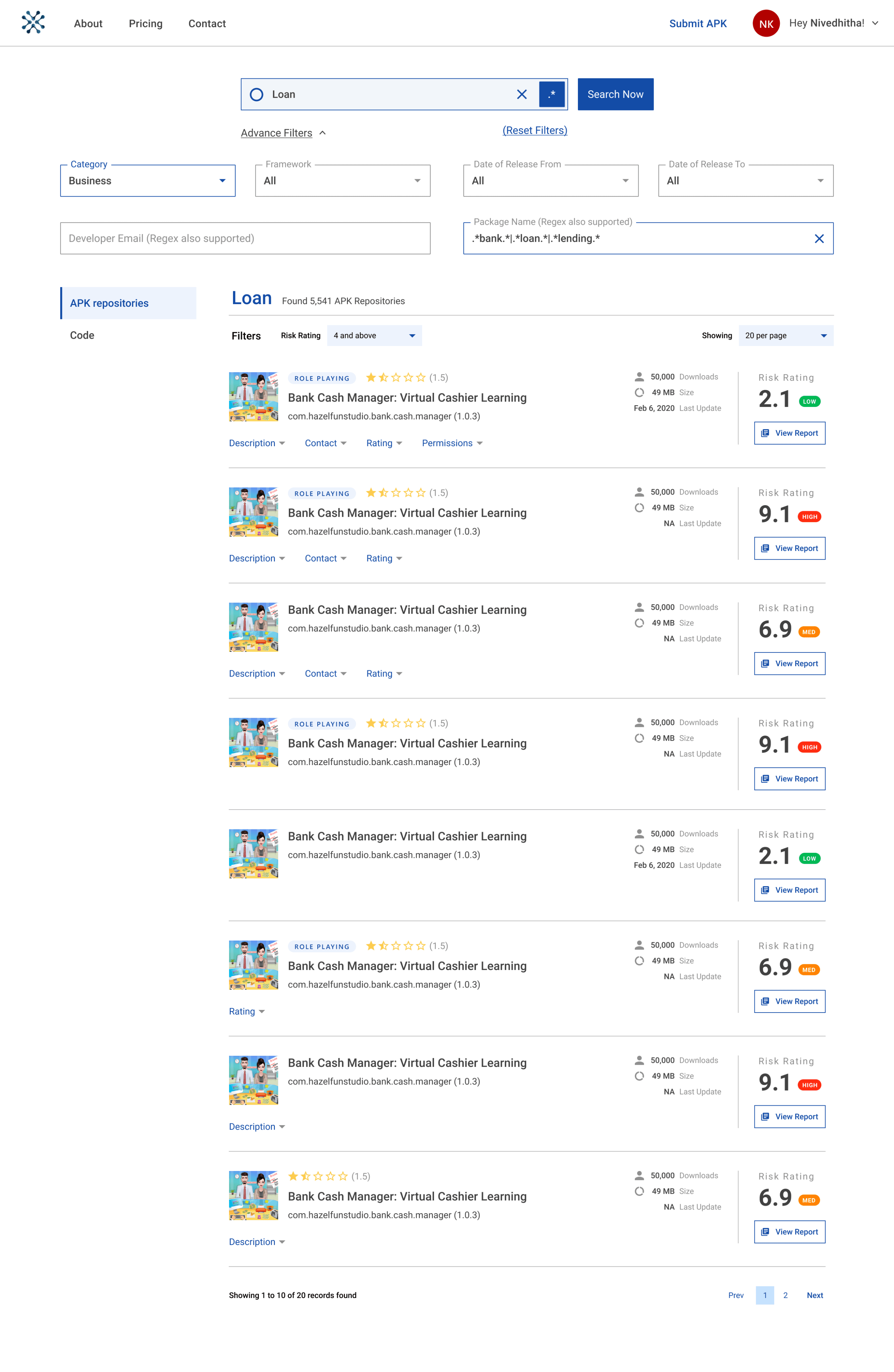
Search page

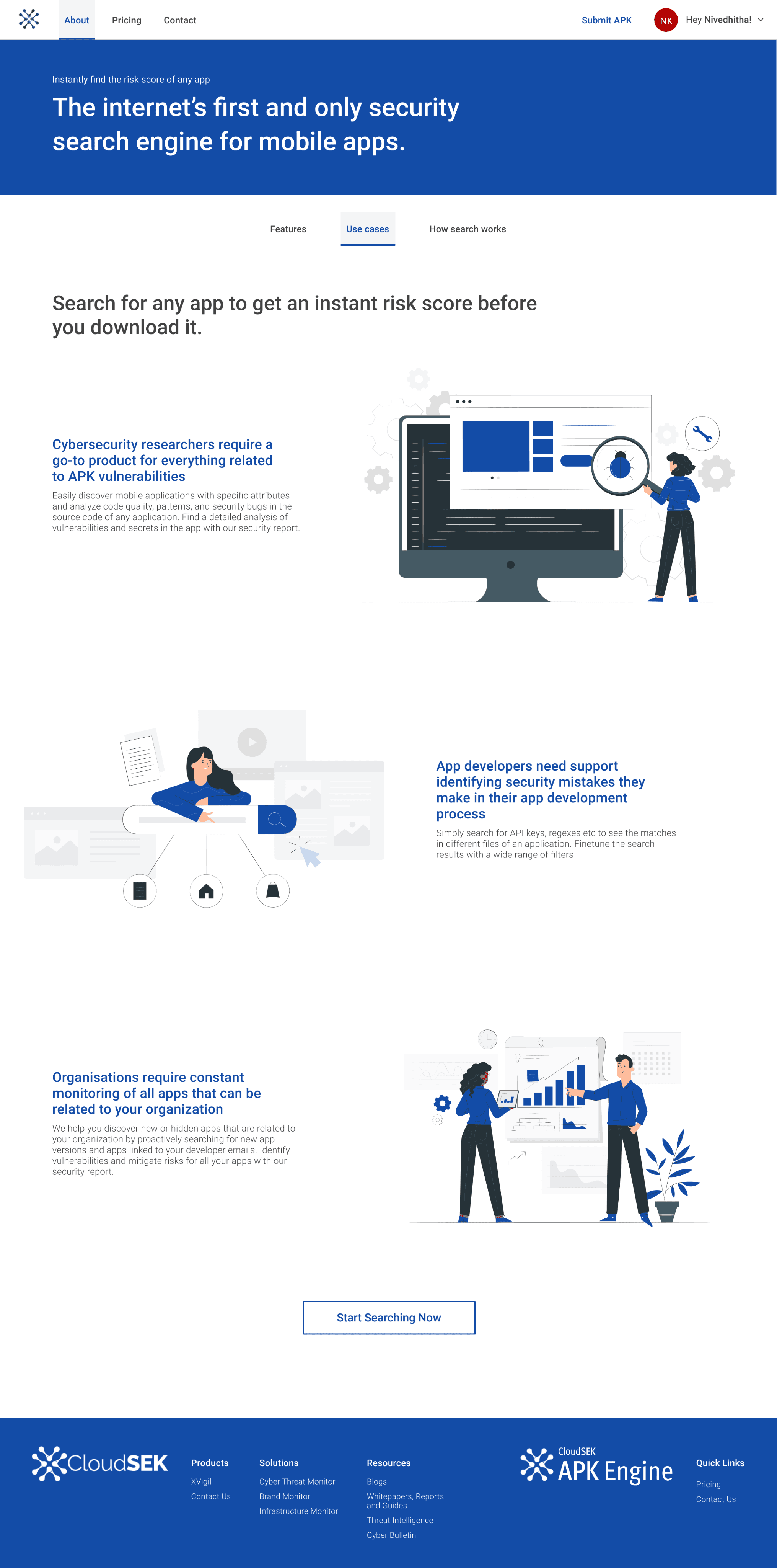
About page
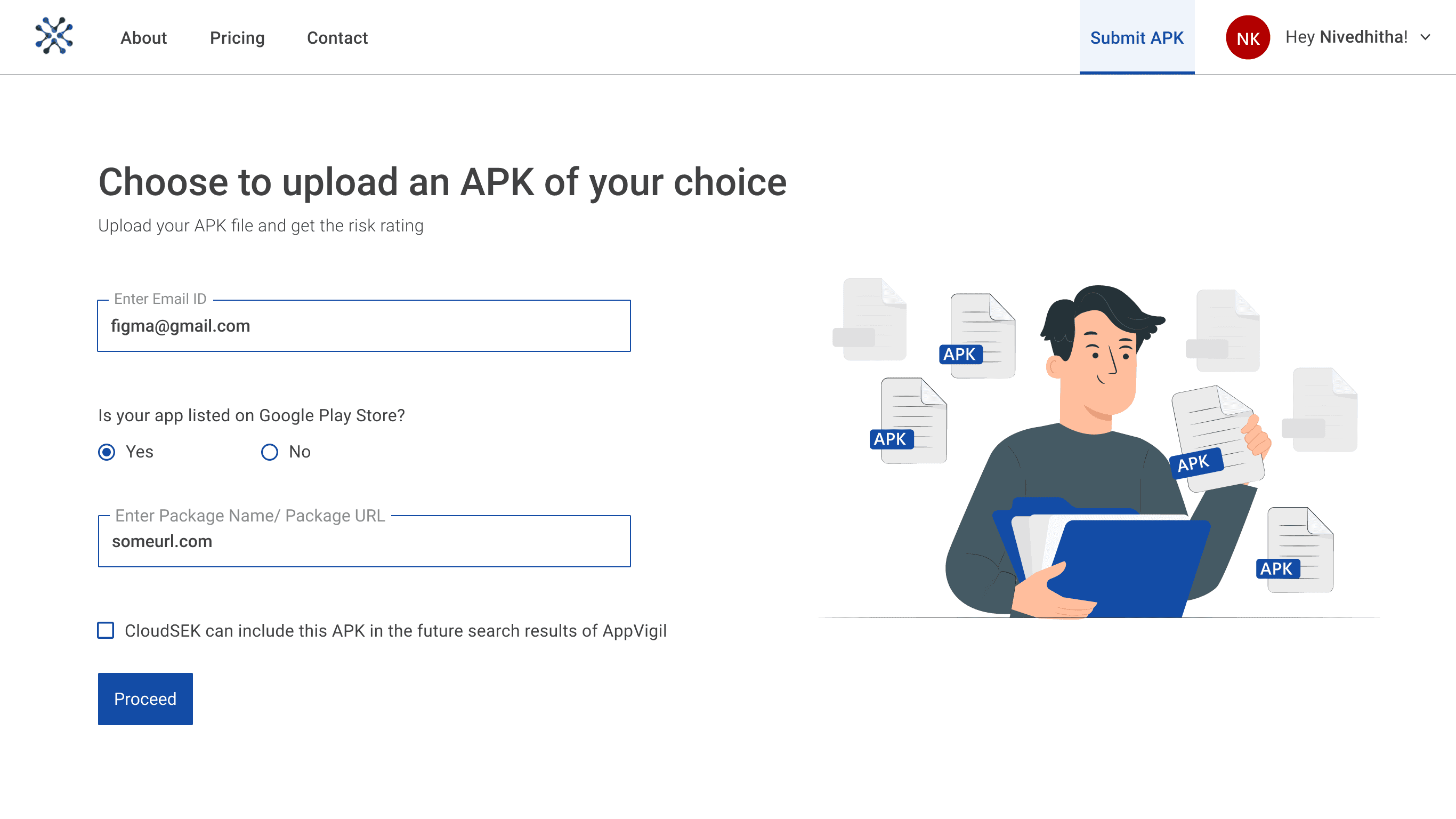

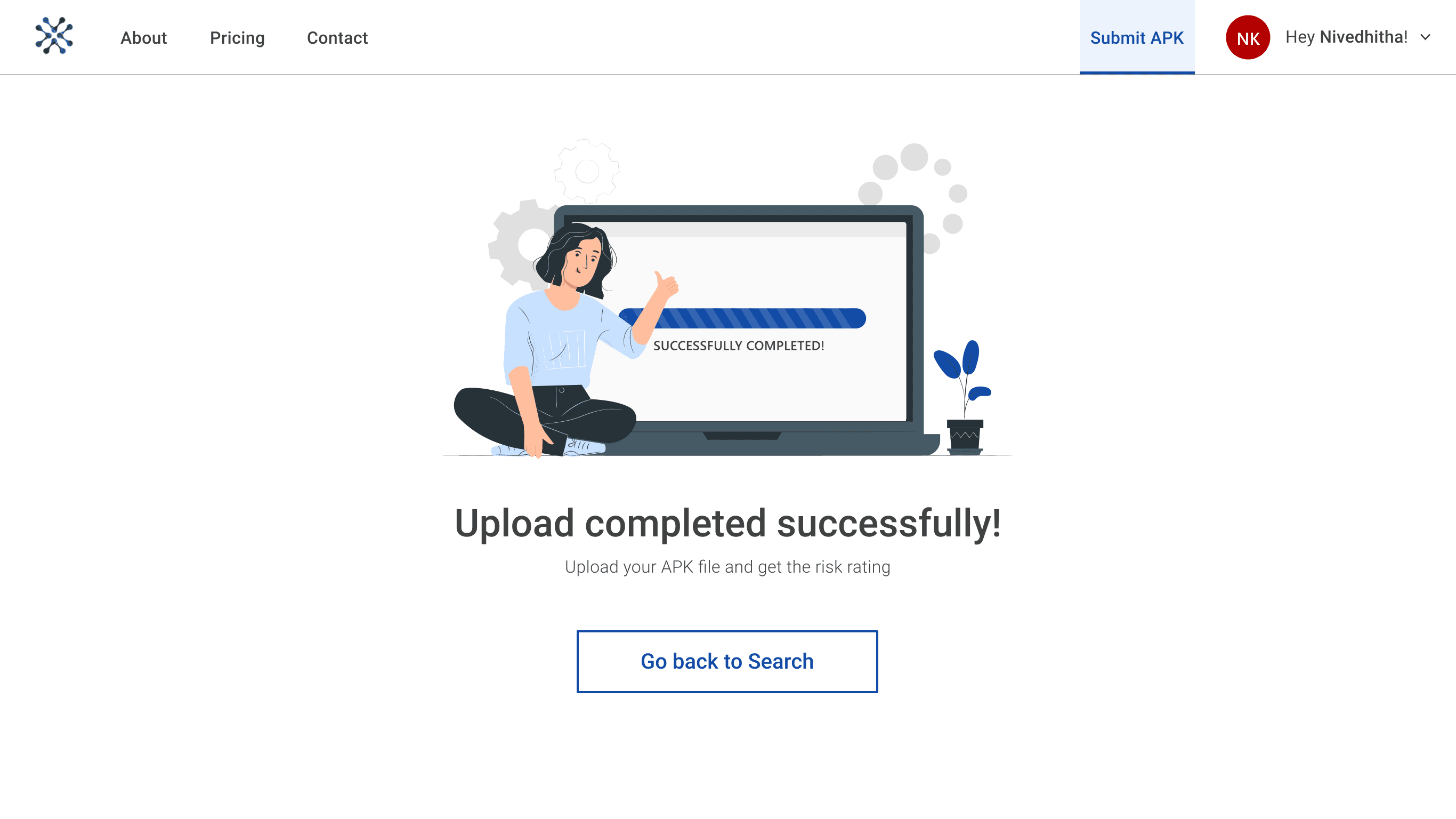
Uploading APK File
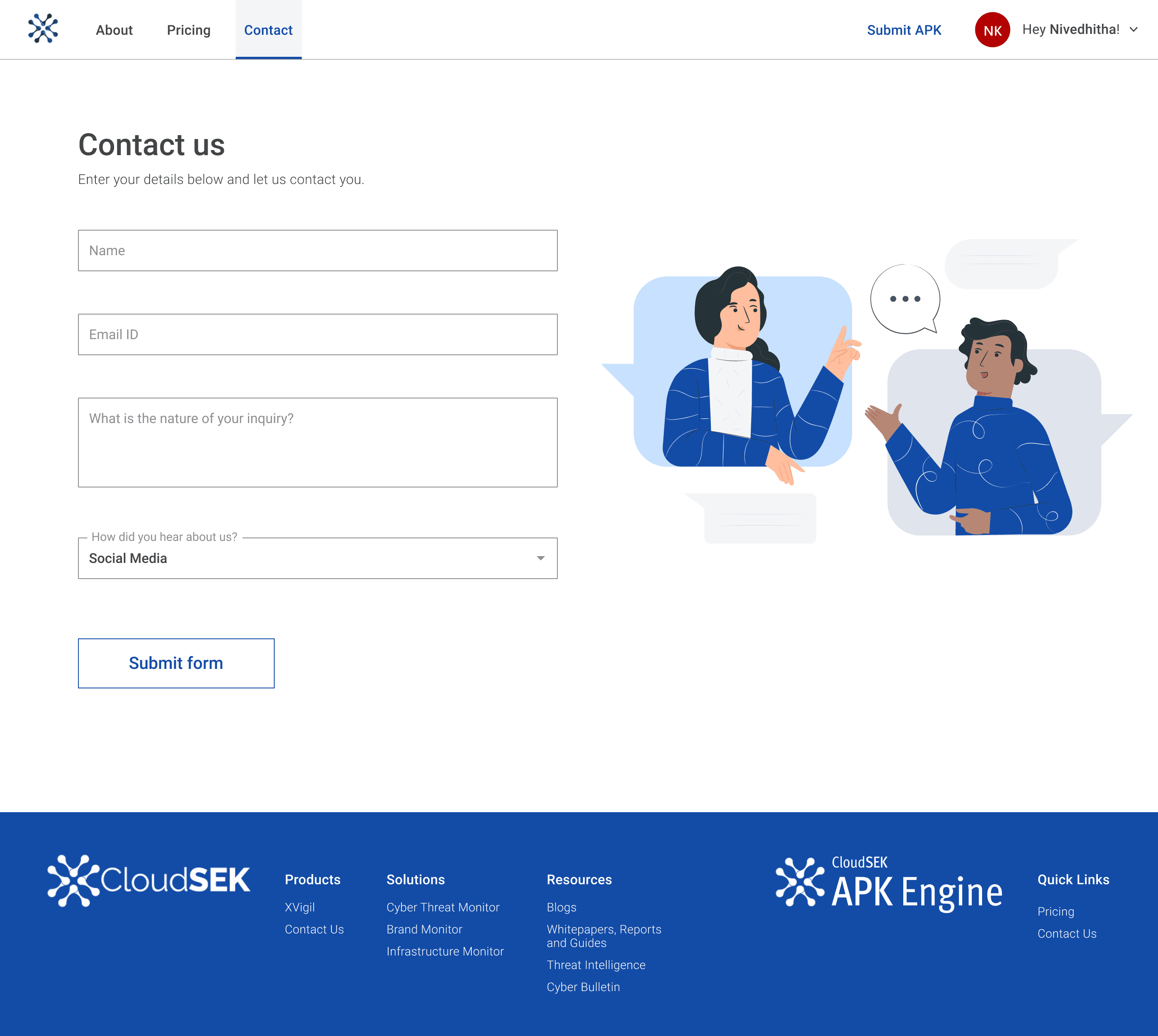
Contact page
Expand and collapse advance filters
App listing cards
Putting emphasis on the key information; risk rating
Showing other crucial details up front
Option to see more details of the app in an expand button.
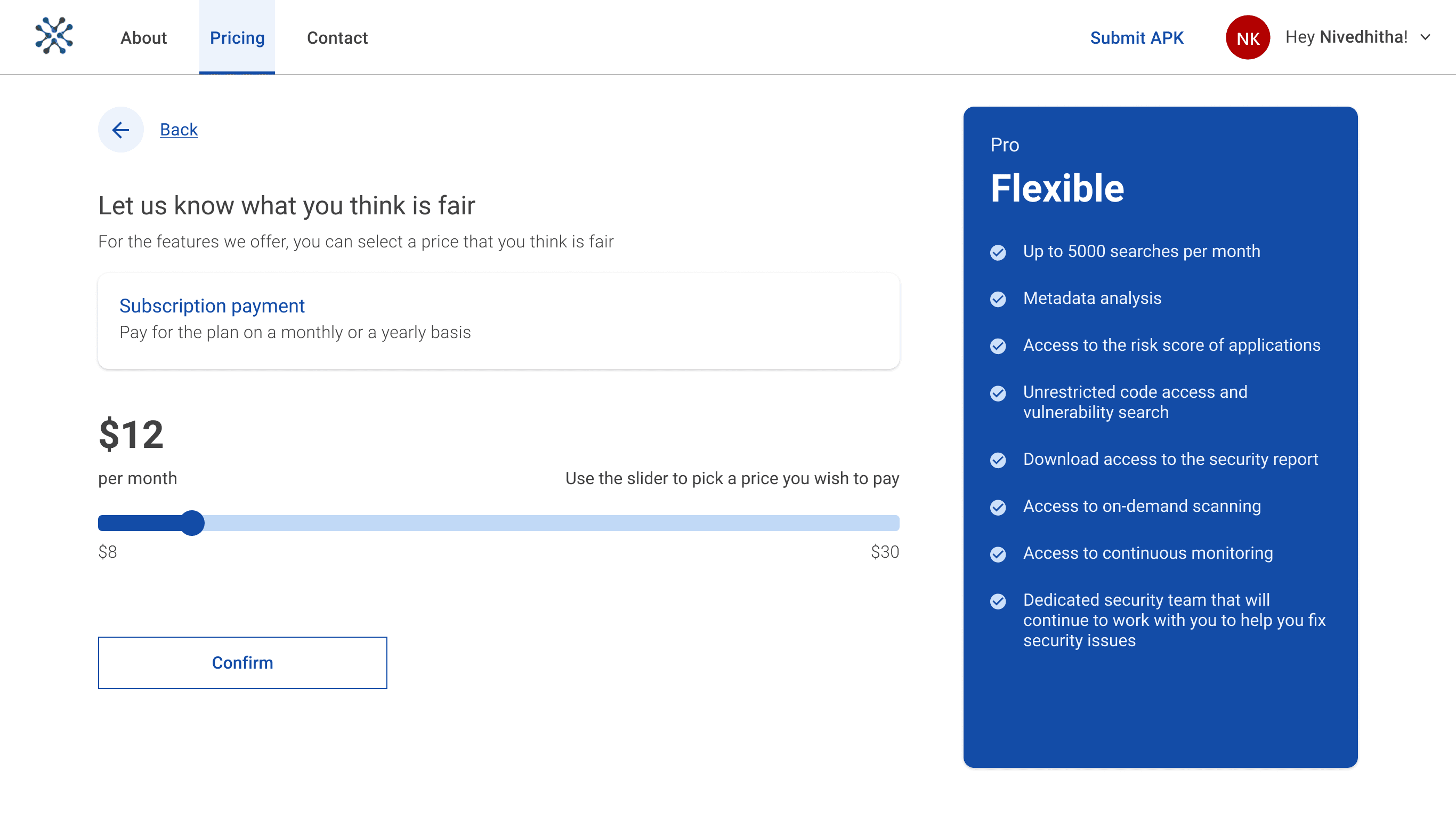

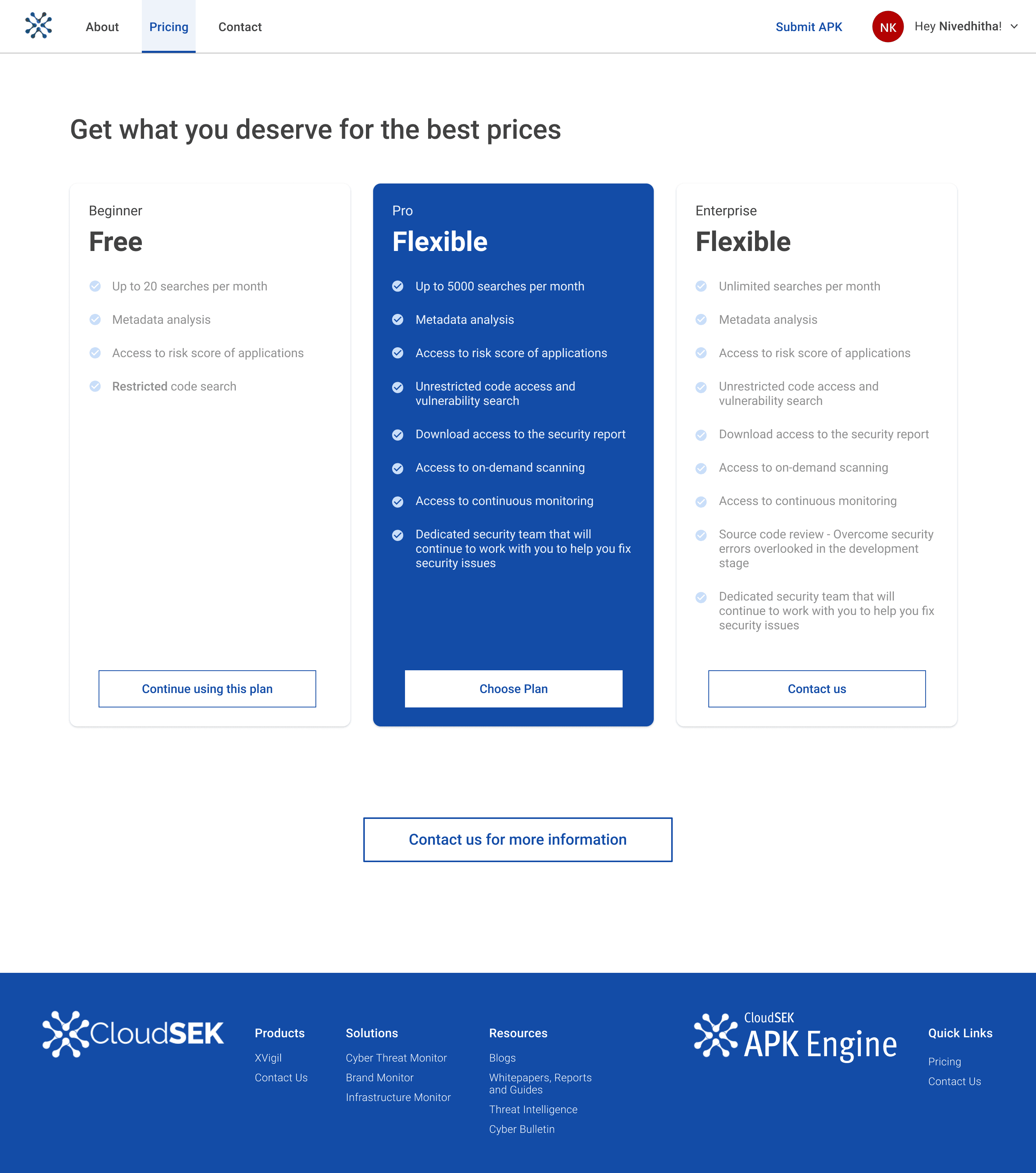
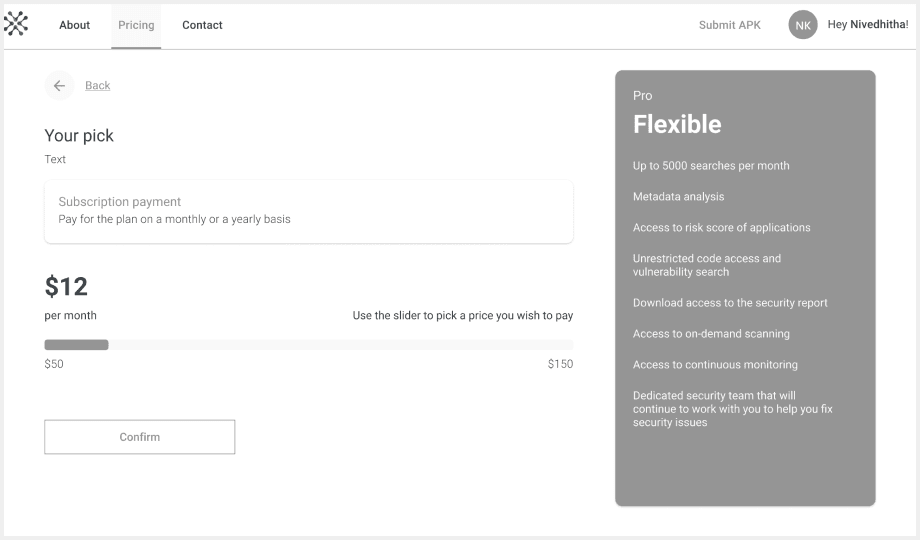
Post MVP: Payment pages
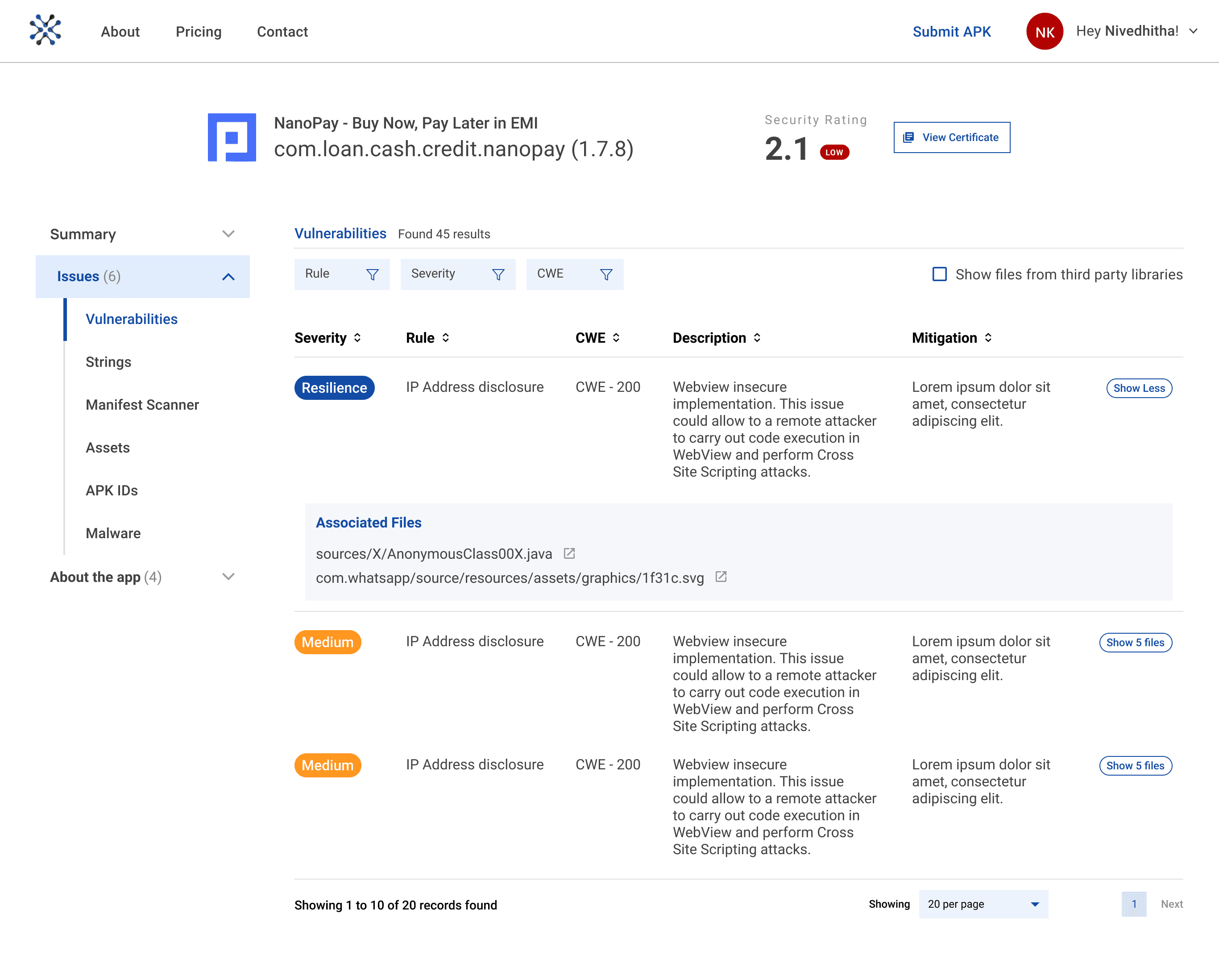
Post MVP: App details pages
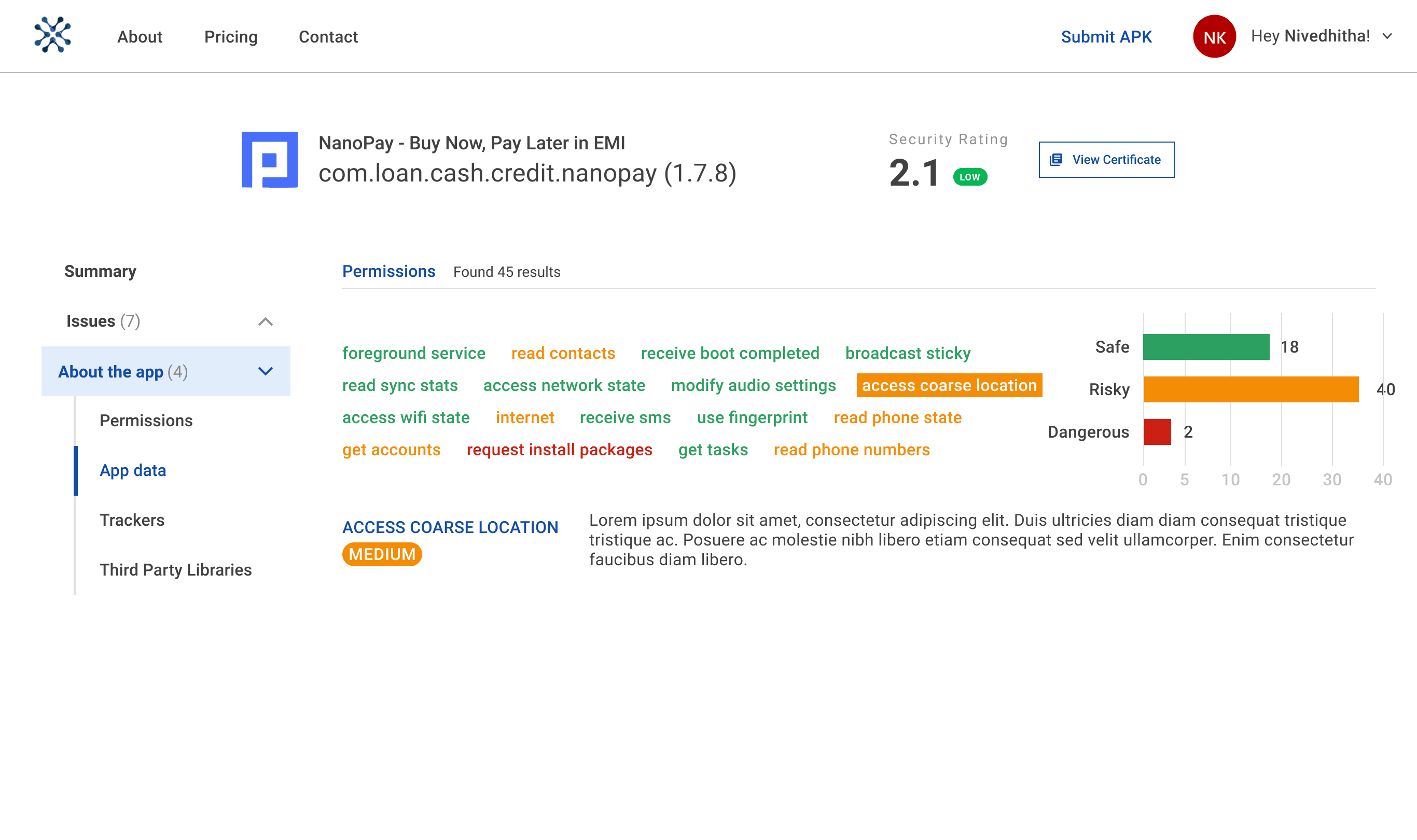
Post MVP: App details pages
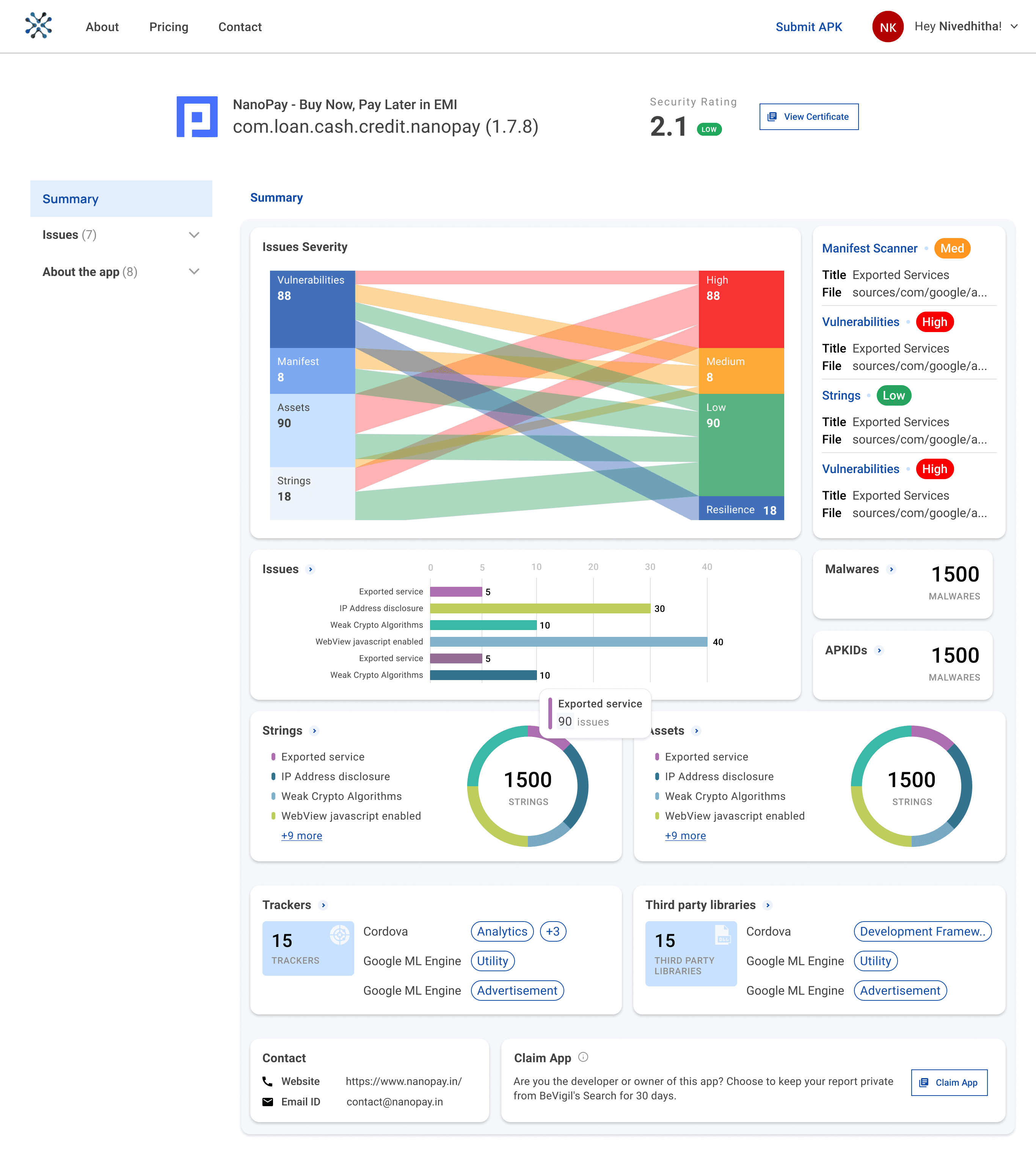
App title and APK file
Security rating
Listing issues in detail
Rating the severity of issues using a sankey diagram
Using donut chart to represent categorical data
Categorized trackers and libraries based on purpose
Post MVP : Dashboard design for every app showing issue details
💥 Impact
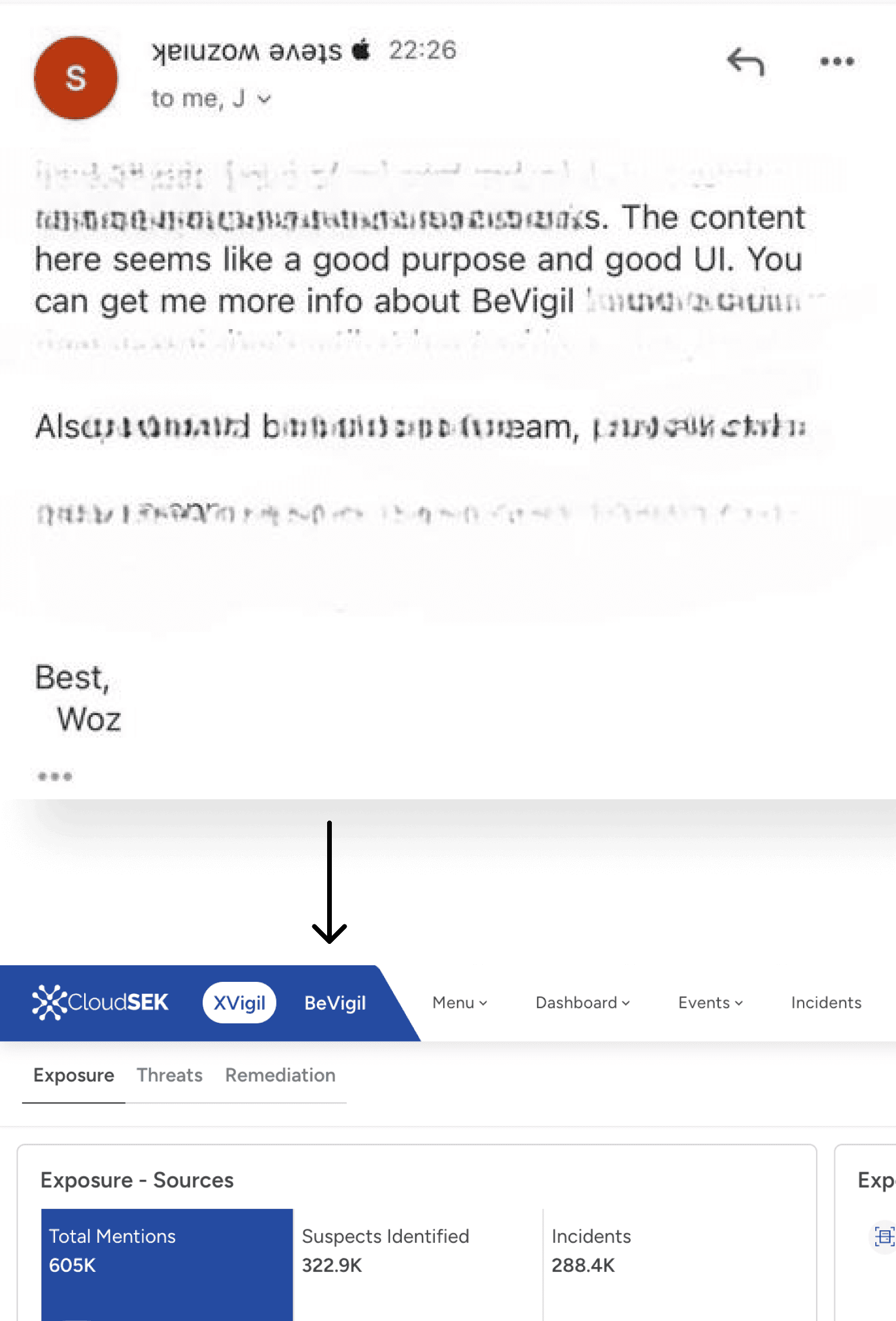
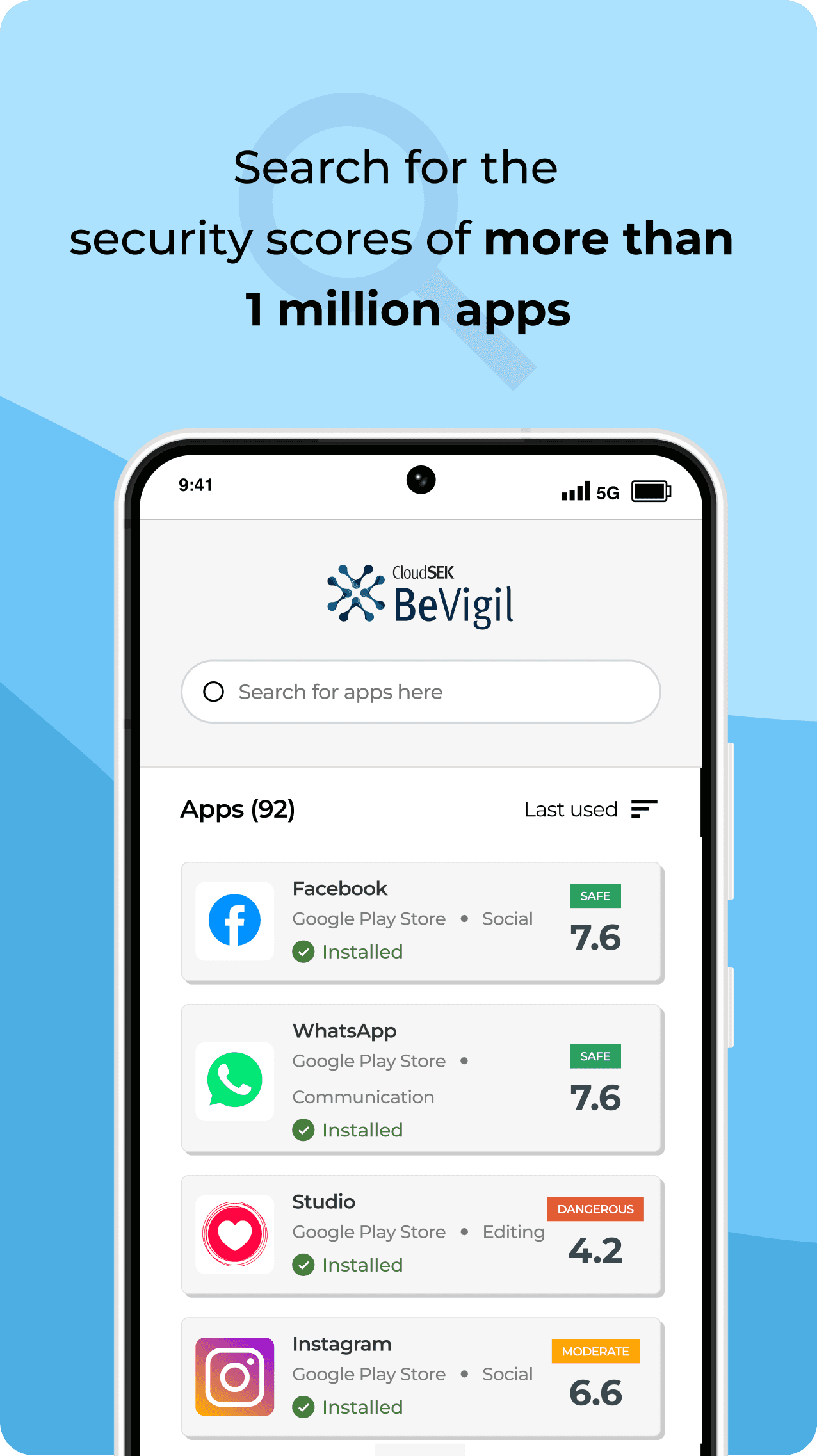
The design got appreciated by renowned tech leaders showing the potential of the product and having an ease of use for general public.
Further, the website was built as an app to be downloaded from Google Play. I was not involved in the mobile design, although many components have been reused.
With many businesses showing interest in the technology, it has been added as a new value proposition to the main product, XVigil to form CloudSEK platform.
💡 Key Learnings
The Product Manager and I had an idea of what pages the website should have, but it was unclear. We used sitemapping and user journeys to enable us to make visual modifications and connect with others. It also allowed us to dive into nuances that we might have overlooked while just having discussions. Throughout this project, I learned the value of establishing user flow as soon as possible in order to pay attention to details that other stakeholders may have overlooked.
After completing the UI, I created an interactive website prototype and shared it with stakeholders for testing. I received a lot of feedback on the adjustments, which made me realize the value of developing interactive prototypes at an earlier stage, such as wireframing and get feedback much sooner.
I worked with a different team who had its own front-end and back-end development team. This was a change from my previous experience working with a known product development team, allowing me to interact with new people and adapt to their distinct working ways when overviewing the development the website.
Best viewed on desktop
Review my case study on the desktop. It will soon be responsive to view on mobile :)
Design Process
Research and Analysis
Further
development
Agile Iteration
Website design
Survey
Sent survey to CloudSEK community to gather responses about desirability.
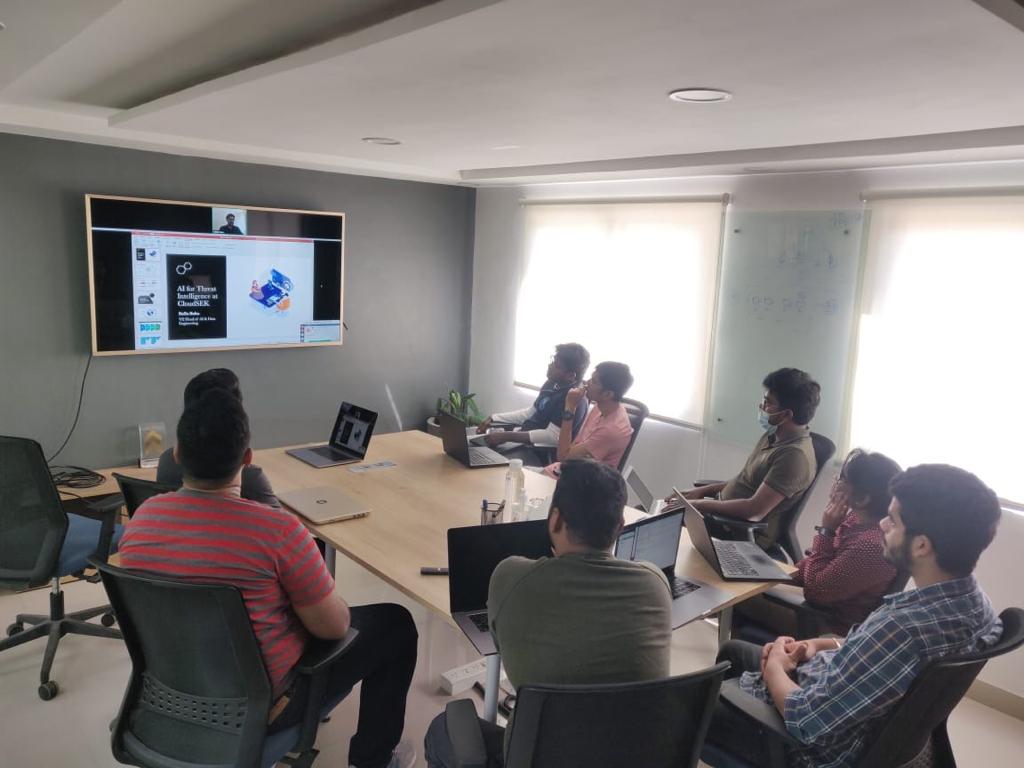
Stakeholder intake
Discussion with CEO, PMs, engineering, and development teams to gather requirements.
💡 Key Learnings
The Product Manager and I had an idea of what pages the website should have, but it was unclear. We used sitemapping and user journeys to enable us to make visual modifications and connect with others. It also allowed us to dive into nuances that we might have overlooked while just having discussions. Throughout this project, I learned the value of establishing user flow as soon as possible in order to pay attention to details that other stakeholders may have overlooked.
After completing the UI, I created an interactive website prototype and shared it with stakeholders for testing. I received a lot of feedback on the adjustments, which made me realize the value of developing interactive prototypes at an earlier stage, such as wireframing and get feedback much sooner.
I worked with a different team who had its own front-end and back-end development team. This was a change from my previous experience working with a known product development team, allowing me to interact with new people and adapt to their distinct working ways when overviewing the development the website.
Final Design
Search page
About page
Uploading APK File
Contact page
Expand and collapse advance filters
App listing cards
Putting emphasis on the key information; risk rating
Showing other crucial details up front
Option to see more details of the app in an expand button.
Post MVP: Payment pages
Post MVP: App details pages
Post MVP: App details pages
App title and APK file
Security rating
Listing issues in detail
Rating the severity of issues using a sankey diagram
Using donut chart to represent categorical data
Categorized trackers and libraries based on purpose
Post MVP : Dashboard design for every app showing issue details